Photoreal or illustrated
A studio-lit portrait, a flat vector avatar, or a soft painted one. Both extremes were checked on the model this page runs.
Pick how real it should look and roughly who it should be — the AI face generator draws a person who has never existed. For placeholders and mockups, not for passing off as anyone.
Follow us and get 20 free credits — about 5 images
Not a real person. Do not present generated faces as anyone real.

Photoreal · Middle aged — no extra description
Real model output. This person has never existed.
Subscribe for more credits and more models.
It invents a person. Pick how photographic the result should be and roughly who it should be, and the model produces a portrait of someone who has never existed — usually in under half a minute. The practical use is anywhere you need a human face but must not use a real one: interface mockups, slide decks, placeholder avatars, a face to hang a character reference on. Following us on X and YouTube puts 20 credits on the account and one face costs 4, so the first five are covered.
Have a character in mind rather than wanting a stranger? See the AI character generator
This belongs at the top of the page rather than in a footnote, because it is the only part with consequences. Every face this tool produces is invented. It is not a photograph of anyone, it carries no consent from anyone, and it is not covered by a model release — there is no model.
Where that is exactly what you want: interface and product mockups, wireframes and slide decks, placeholder avatars while real ones are pending, a visual reference for a fictional character, sample content in a demo or a tutorial. In all of those the point is that no real person is implicated.
Where it is not: anything that presents the face as a specific real human. Do not use a generated face on a profile that implies a real identity, in a dating or social account, on an ID or any document, in a review or testimonial attributed to a person, or in advertising that implies a real customer. Do not generate faces intended to resemble a named individual, a public figure, or a minor. Those are not edge cases; they are the failure modes this technology gets used for, and a tool page that stays silent about them is being coy on purpose. And one honest caveat about the guard rail itself: the instruction we send with every run asks for a person who resembles nobody real, but we have measured that this kind of clause is a request to the model rather than a filter it enforces. It is worth sending; it is not a reason to relax.
Two pills and an optional line of text. The whole point is speed — one face is 4 credits and about half a minute.
A studio-lit portrait, a flat vector avatar, or a soft painted one. Both extremes were checked on the model this page runs.
Any, twenties, forties or sixties. Deliberately coarse — a face generator that promises fine demographic control is promising more than it can hold.
Square framing, plain backdrop, neutral expression: the shape that drops into a mockup or an avatar slot without fighting the layout.
Not a real person, no dataset export, and no pretence that the safety clause is a filter. All three are stated on the page.
No account needed to try the controls; sign in when you generate.
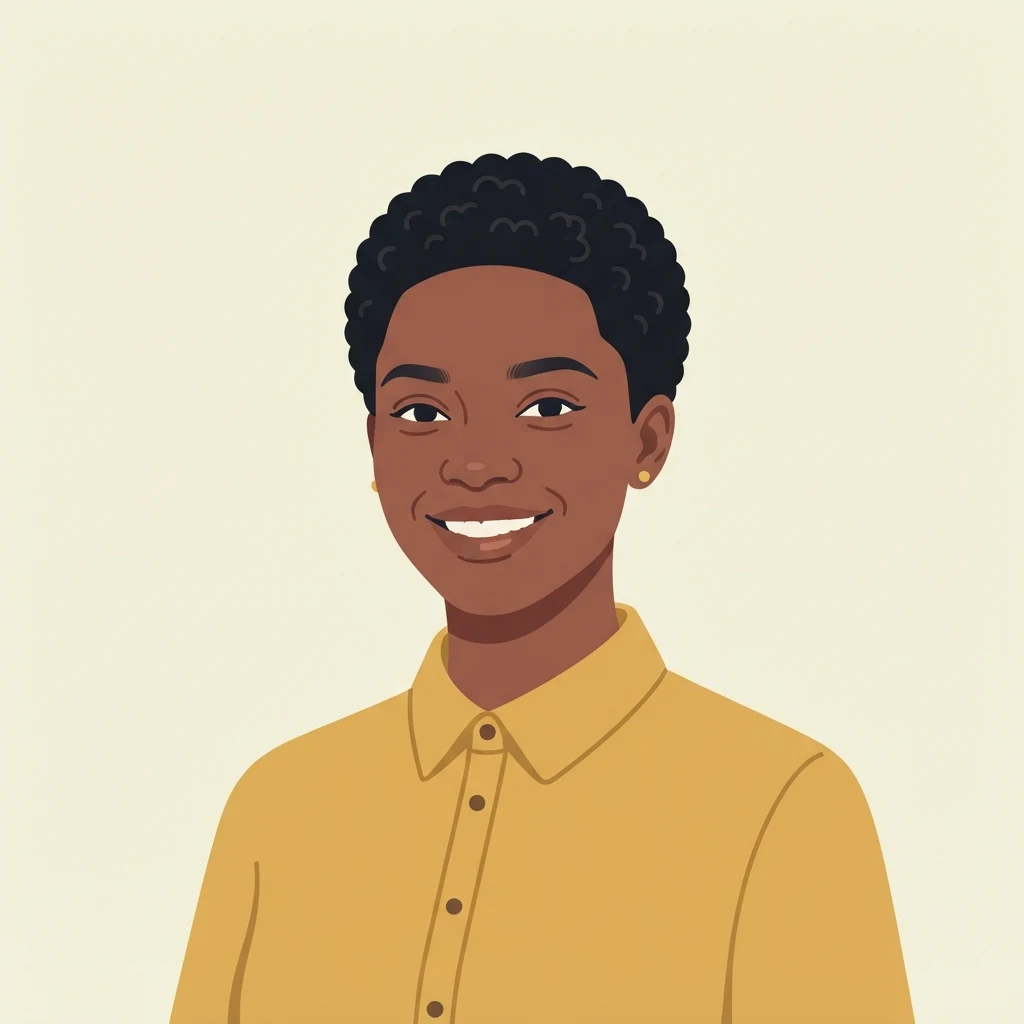
Photoreal for mockups that need to feel like photography; illustration for avatars and UI placeholders.
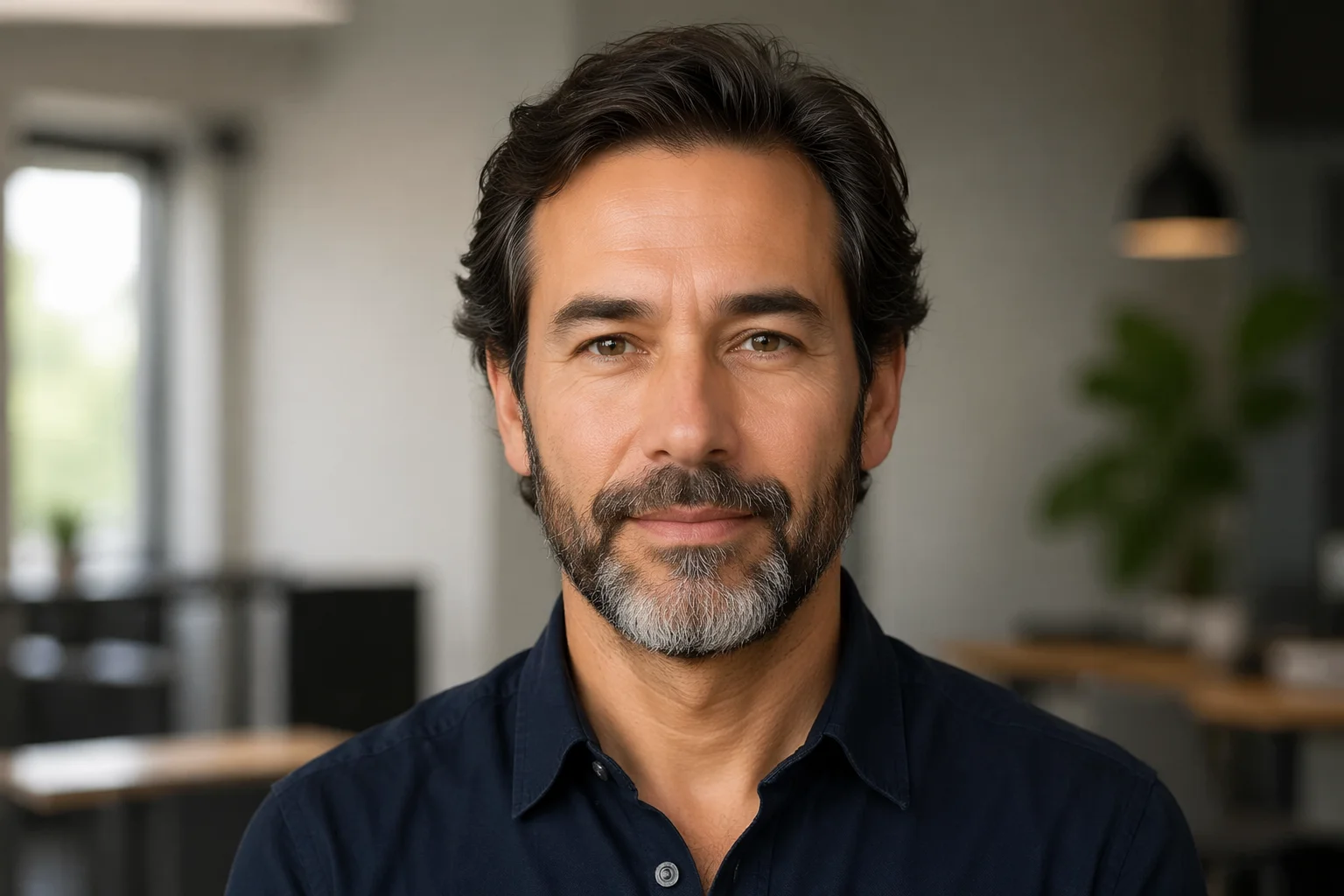
Leaving it on Any gives you the widest spread across runs, which is usually what you want when you need several different placeholder faces.
One face costs 4 credits and the 20 a follow earns cover five. Download at full resolution.
Split by what you are actually trying to do. The bottom two rows are the ones we get asked about and cannot serve.
| What you need | Fit | Why |
|---|---|---|
| A placeholder avatar for a mockup or prototype | Good — the main use | Square framing, plain backdrop, neutral expression; drops into an avatar slot without art direction |
| A face to visualise a fictional character | Good, as a starting point | If you have an actual character spec, the character creator is the better door — it draws to your brief instead of handing you a stranger |
| Sample faces for a demo, deck or tutorial | Good | No real person is implicated, which is the whole reason to generate rather than pull from stock |
| ⚠️ A batch of faces, or a dataset | Not supported here | This is a one-at-a-time widget. Face datasets are a different product shape and we do not offer one — the honest answer rather than a slow workaround |
| 🔴 A face that looks like a specific real person | Not something we will help with | The instruction sent with every run asks for a resemblance to nobody real, but we have measured that such clauses are requests, not filters. So the line is a rule, not a mechanism — and it is not one we will help you cross |
The first two came from this page's own pills. Every person shown here is invented.
Studio-lit, plain backdrop, natural skin texture. The setting a placeholder headshot usually needs.
Flat vector treatment — often the better fit for a UI avatar, where a photograph would read as a real user.
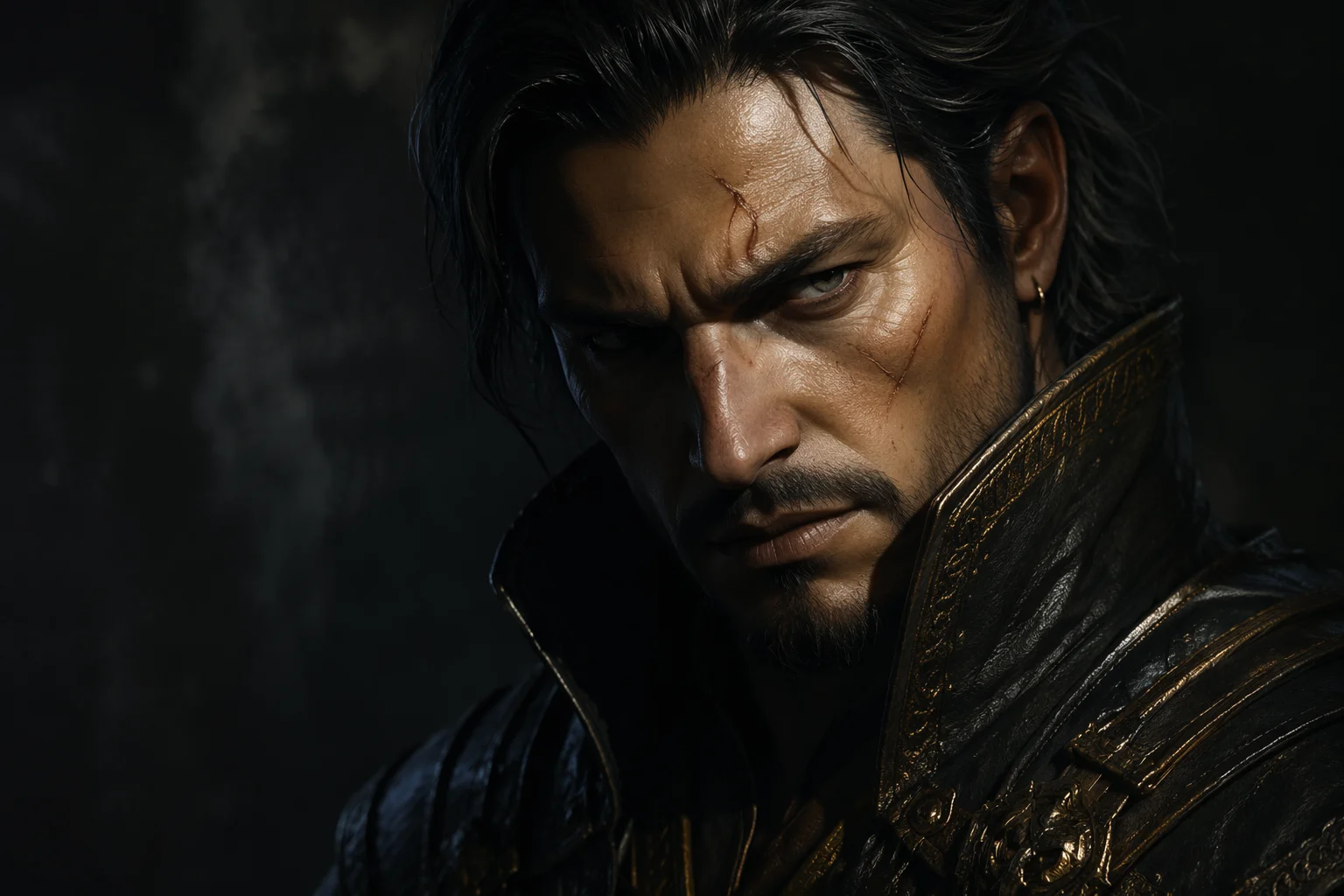
Several runs side by side, showing how much variety you get when the age band is left open.
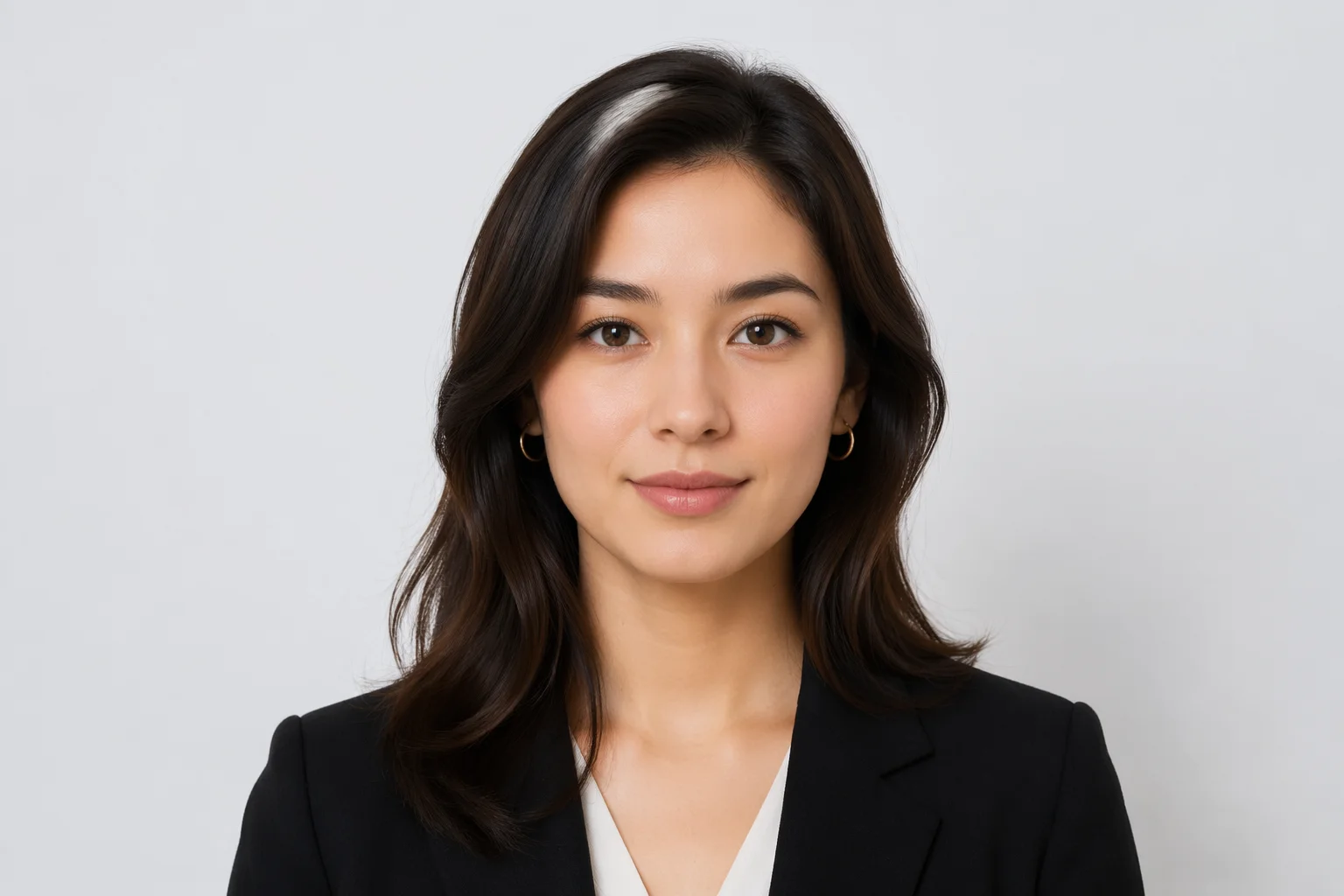
Different ages and looks from the same tool — useful when a mockup needs a cast rather than one face.
The most common good reason to be here is that a layout needs a human face and you do not have one you are allowed to use. Stock photography solves that with licensing; a generated face solves it by there being nobody to license. For that job the defaults on this page are already right: square crop, plain backdrop, neutral expression, even lighting. A face with dramatic lighting or a strong expression fights whatever design it lands in, which is why this page does not offer those as pills.
A practical note on quantity. If you need one face, generate it. If you need eight for a team page mockup, generate eight — leave the age band on Any so they do not all look related, and expect to discard a couple. If you need eighty, this is the wrong tool and we would rather say that than let you click sixty more times: face datasets are a different product and we do not sell one.
On how much the optional description matters: the two pills carry most of the result, and the text field adjusts the edges — hair, clothing, expression. Asking for something the pills contradict tends to be ignored rather than obeyed, so if a face is coming back wrong, change the pill before you rewrite the sentence.
These two pages look adjacent and are actually opposites, so it is worth one paragraph to save you a wrong turn. This page hands you a stranger: you do not describe anyone, and the value is precisely that the result is arbitrary and belongs to no one. The character creator does the reverse — you arrive with a specification (archetype, age, hair, wardrobe, mood, palette) and it draws that character, so the output feels like yours because the design was.
Pick by what you will do with the image. A slot in a mockup wants a stranger. A character who has to appear in a story, a game or a channel wants a design, and that means starting from a brief rather than from a shuffle.
This page runs the fast tier on purpose. Nano Banana 2 Lite costs 4 credits a face, which is what makes "the 20 credits a follow earns cover five" a promise we can keep — and cheap iteration is the right shape when you are going to discard most of what you generate anyway.
When you want more control than two pills and a sentence — a specific framing, a larger canvas, several faces that share a look, or a stronger model — open the full image workspace. Every model on the platform is available there, and you keep working on one canvas instead of re-rolling from scratch.
What happens to what you generate here.
Picking a file only previews it on your device. Not one byte is stored until you sign in and click generate.
Uploads land in your private library, never a public gallery, and re-running the same image stores nothing new.
Remove uploads and results from your library whenever you want.

As of October 2026, 100,000+ creators in 170+ countries and regions use Renoise AI, an AI video, image and audio platform, to generate 300,000+ images and videos with 30+ models.
Source: Renoise internal data, March–October 2026. Figures are rounded down and updated quarterly. Last updated
Real feedback from creators who use Renoise AI to make videos, images and ads.
Renoise is pretty easy to use, with a clean and smooth interface. The results from Seedance 2.5 also feel noticeably smoother in action sequences.
Renoise Ai is a good tool for making ai videos and photos. it puts several Ai models in one place, so you don't need to use many different apps.
あまりAIツールを使ったりしたことなかったですが、キャラクターの固定や動画を続いて作成できて使いやすいです。これからどんどん進んでいくアップデートが楽しみです。
Renoise has been a great platform for AI creativity. The tools are easy to use, the experience is smooth, and it makes creating content more enjoyable and efficient. I really appreciate the work the team is doing and look forward to seeing more improvements. Highly recommended!
What I like about Renoise AI compared to other platforms: Fast generation speed: Slow generation takes up way too much time, but Renoise AI is surprisingly about 30% faster. Intuitive and user-friendly UI: Cheaply made platforms have terrible UIs that make me not even want to log in, but Renoise is very clean and convenient. Remembers my previous settings: It helpfully remembers my last workspace settings. Some odd platforms force you to re-adjust everything every single time you generate a video, which is extremely frustrating. Overall preference: For all these reasons, Renoise AI is definitely my preferred platform. Thank you!
Renoise is your go to one stop all for ai creators. all view and use all models in one place, for any type of content you have your mind on!
I have a creat experience with the app. Consistent characters but also unique. THere were some issues with storyline continuity and non-typical humanoid characters.
Credits work across every tool — image editing, upscaling and the video models.
For your first AI creations
per month
≈ 150 GPT Image 2 Generations
≈ 60 Seedance 2.0 videos
The agent takes your idea all the way to a finished cut.
Starter and Standard: production work in Director Mode uses credits by usage. Advanced: free.
No queue. Start as many paid generations as you want at once.
Content generated with Renoise.ai may be used commercially, subject to our Terms of Service
For creating every week
per month
≈ 450 GPT Image 2 Generations
≈ 180 Seedance 2.0 videos
The agent takes your idea all the way to a finished cut.
Starter and Standard: production work in Director Mode uses credits by usage. Advanced: free.
No queue. Start as many paid generations as you want at once.
Renoise Agent runs on frontier models from leading AI labs to plan your shots, write prompts, and pick the right model for each one. Chatting with the Agent is free on every plan.
Content generated with Renoise.ai may be used commercially, subject to our Terms of Service
For professional-scale production
per month
≈ 1,750 GPT Image 2 Generations
≈ 700 Seedance 2.0 videos
The agent takes your idea all the way to a finished cut.
Starter and Standard: production work in Director Mode uses credits by usage. Advanced: free.
No queue. Start as many paid generations as you want at once.
Renoise Agent runs on frontier models from leading AI labs to plan your shots, write prompts, and pick the right model for each one. Chatting with the Agent is free on every plan.
Content generated with Renoise.ai may be used commercially, subject to our Terms of Service
For your first AI creations
per month, billed annually
Save $48compared to monthly
≈ 150 GPT Image 2 Generations
≈ 60 Seedance 2.0 videos
The agent takes your idea all the way to a finished cut.
Starter and Standard: production work in Director Mode uses credits by usage. Advanced: free.
No queue. Start as many paid generations as you want at once.
Content generated with Renoise.ai may be used commercially, subject to our Terms of Service
For creating every week
per month, billed annually
Save $216compared to monthly
≈ 450 GPT Image 2 Generations
≈ 180 Seedance 2.0 videos
The agent takes your idea all the way to a finished cut.
Starter and Standard: production work in Director Mode uses credits by usage. Advanced: free.
No queue. Start as many paid generations as you want at once.
Renoise Agent runs on frontier models from leading AI labs to plan your shots, write prompts, and pick the right model for each one. Chatting with the Agent is free on every plan.
Content generated with Renoise.ai may be used commercially, subject to our Terms of Service
For professional-scale production
per month, billed annually
Save $960compared to monthly
≈ 1,750 GPT Image 2 Generations
≈ 700 Seedance 2.0 videos
The agent takes your idea all the way to a finished cut.
Starter and Standard: production work in Director Mode uses credits by usage. Advanced: free.
No queue. Start as many paid generations as you want at once.
Renoise Agent runs on frontier models from leading AI labs to plan your shots, write prompts, and pick the right model for each one. Chatting with the Agent is free on every plan.
Content generated with Renoise.ai may be used commercially, subject to our Terms of Service
Or bring a character brief instead and have it drawn to spec.
No. Each one is invented by the model — there is no photograph and no person behind it, which is exactly why a generated face is safe to drop into a mockup where a real one would need consent and a licence. The flip side is that it must never be presented as a specific real human.
Good uses: interface and product mockups, wireframes, slide decks, placeholder avatars, a visual reference for a fictional character, sample content in a demo or tutorial. Not acceptable: any context that implies the face is a specific real person — a profile suggesting a real identity, a dating or social account, an ID or document, a review or testimonial attributed to someone, or advertising implying a real customer.
We will not help with that, and we are not going to overstate our ability to stop it either. Every run carries an instruction asking for someone who resembles nobody real and who is not a public figure or a minor. We have measured on a sibling page that a clause of this shape is a request the model usually follows rather than a filter it enforces. So treat the line as a rule you keep, not a mechanism that keeps it for you.
Following us on X and YouTube puts 20 credits on the account and one face costs 4 credits, so five are covered. We would rather give you the arithmetic than the word "free" — the credits are shared across every tool here, so those 20 could equally go to upscaling or video.
Not from this page — it generates one at a time, and clicking it eighty times is not a workflow we want to sell you. Face datasets are a different product shape with different licensing questions, and we do not offer one. If you need a handful, generate a handful and leave the age band open so they do not look related.
Less than the pills. The look and the age band carry most of the result; the optional line adjusts the edges — hair, clothing, expression. If a face is coming back wrong, change the pill before you rewrite the sentence, because a description that contradicts the pill tends to be ignored rather than obeyed.
Nano Banana 2 Lite, from Google. It is the fast tier, chosen so one face costs 4 credits and the free credits stretch to five. Both the photoreal and the illustration samples on this page are real output from it.
They are opposites. This page hands you a stranger — you describe nobody, and the value is that the result is arbitrary. The character creator starts from a specification you wrote and draws that character, so the design is yours. A mockup slot wants a stranger; a character who has to recur in a story wants a brief.
Yes, within the permitted uses above — mockups, placeholders, demos, fictional characters. Watermark-free exports come with a paid plan. What the licence cannot do is make it acceptable to present a generated face as a real person, so that boundary applies regardless of plan.