Photoreal images with readable text, 1K or 2K, from up to 3 references. By xAI.
Grok image generator: key features
Every large image below is a Grok Imagine Image output made in Renoise. Small insets are the inputs; the pencil sketch input in the last row was drawn by a different model.
Photoreal portraits and studio shots
Skin texture, hair and natural window light come out looking photographed rather than painted. It suits headshots, model shots for a product page and lifestyle stills, and every person here is an invented character, not a real face.
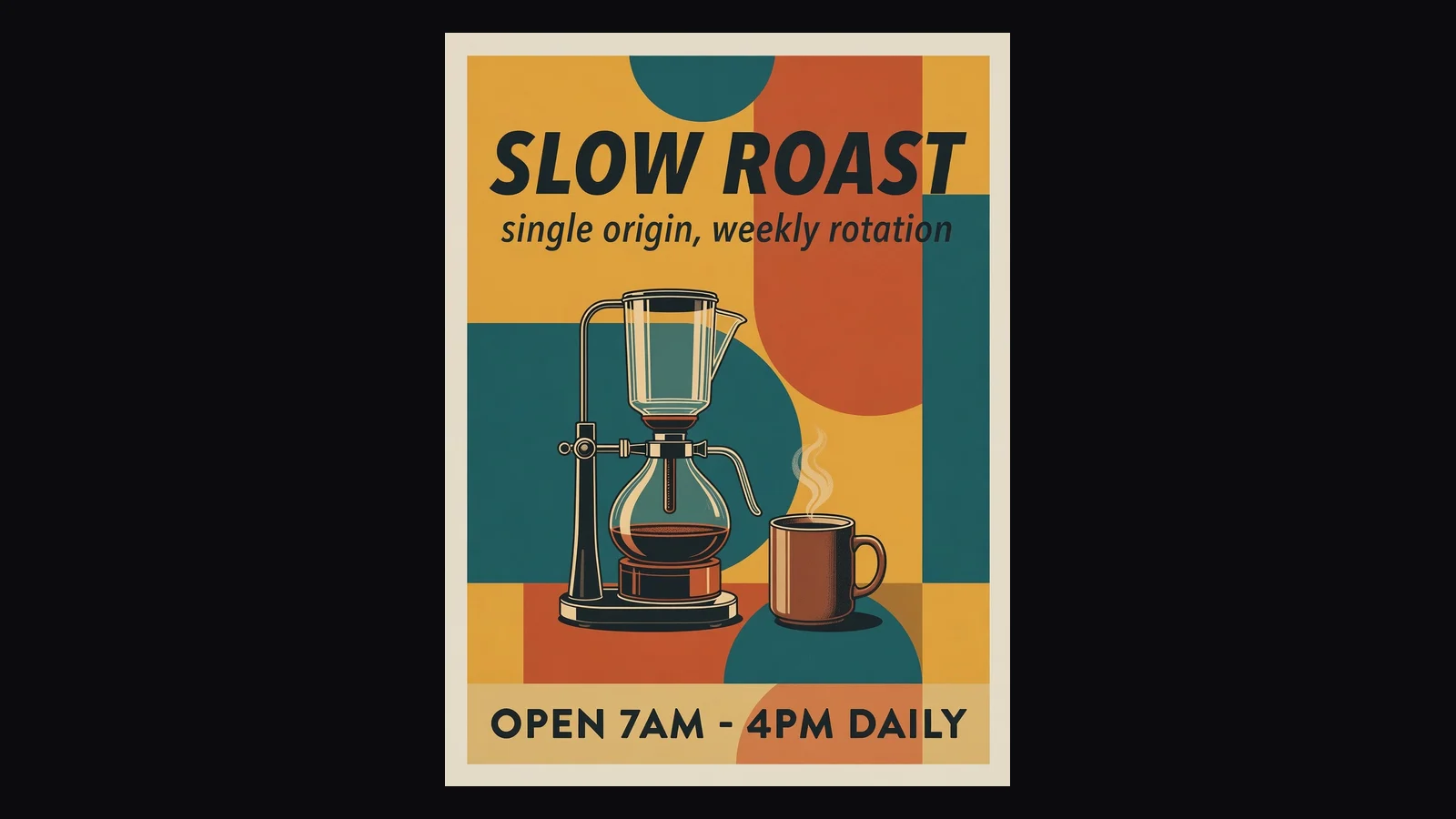
Headlines and signs you can read
Put the exact words in quotes and they land on the poster, sign or label as written. The poster and thumbnail headlines on this page came out with no typos. xAI says the Quality tier renders multilingual text even more cleanly.
Add a photo and say what to change: a new hairstyle, a wider smile, a watermark gone. The face, clothes and background stay as they were. There is no brush or mask, so describe the change in words instead of painting an area.
Input
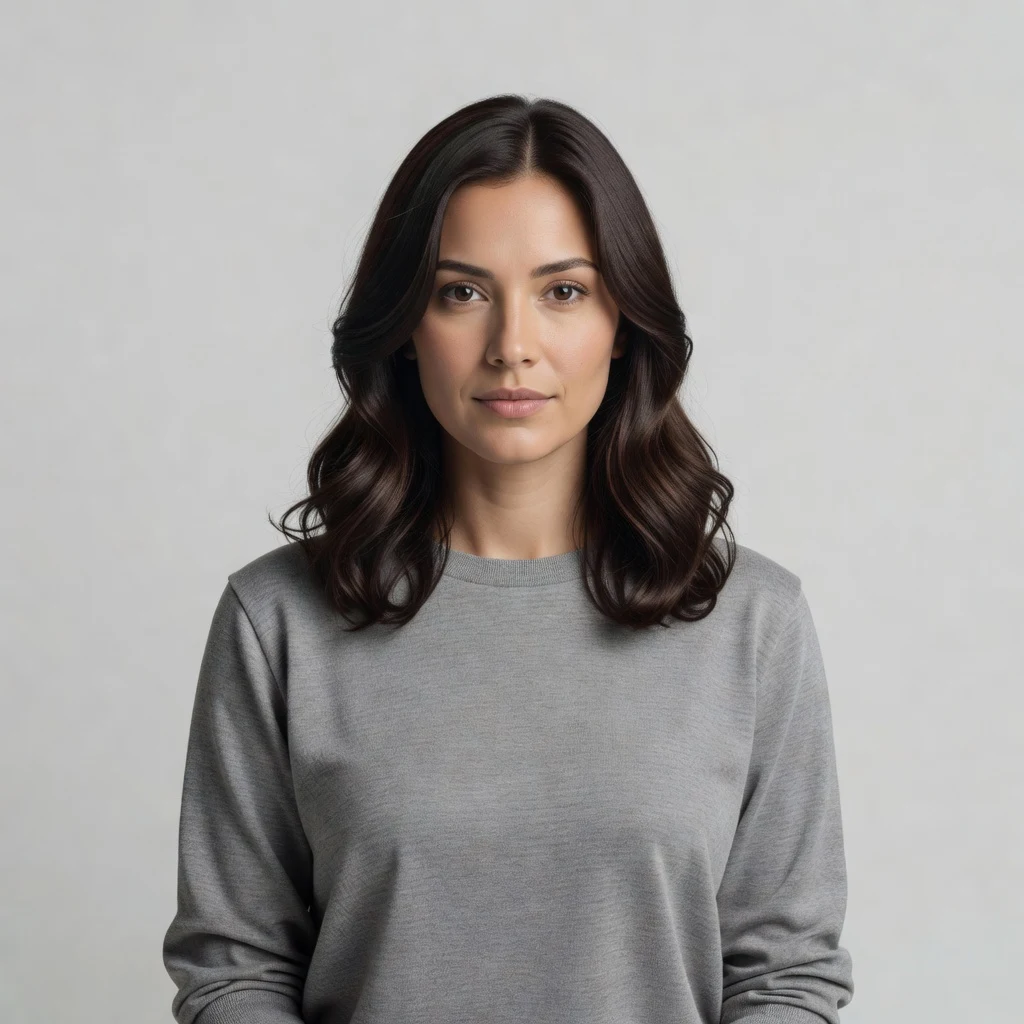
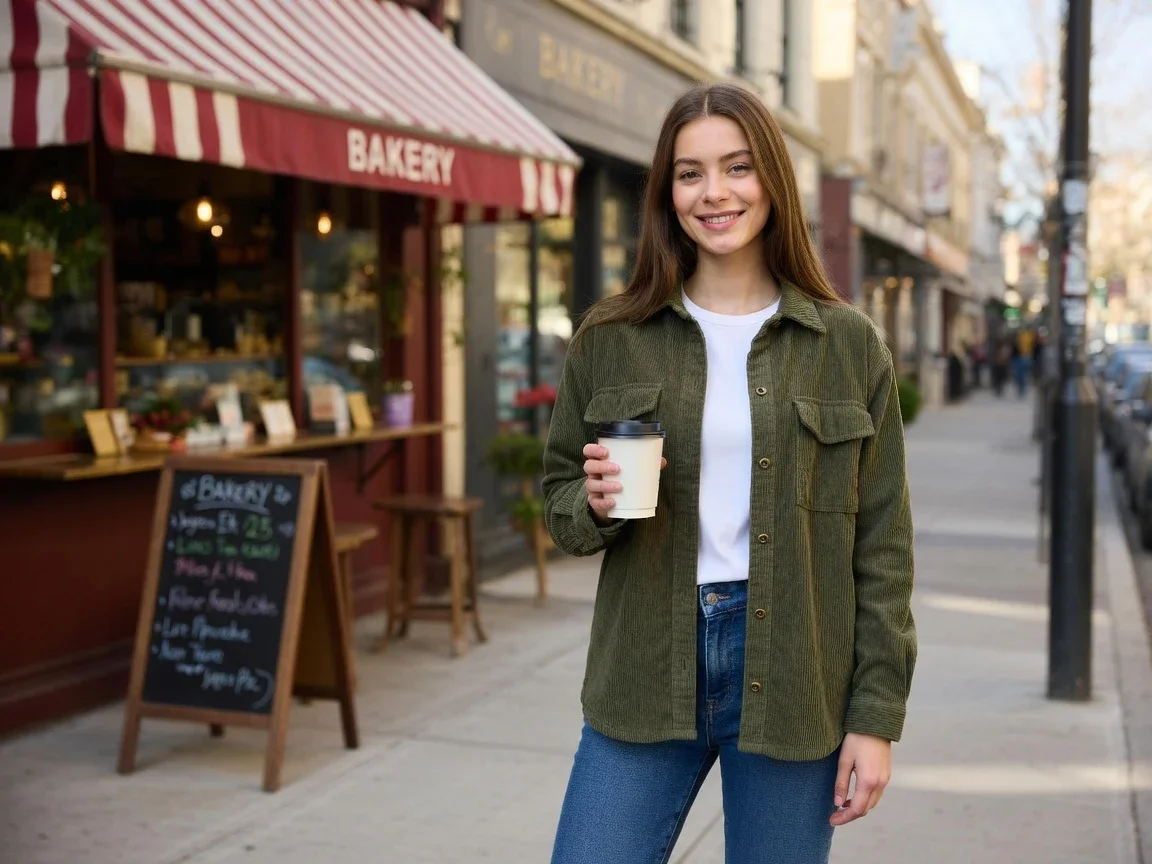
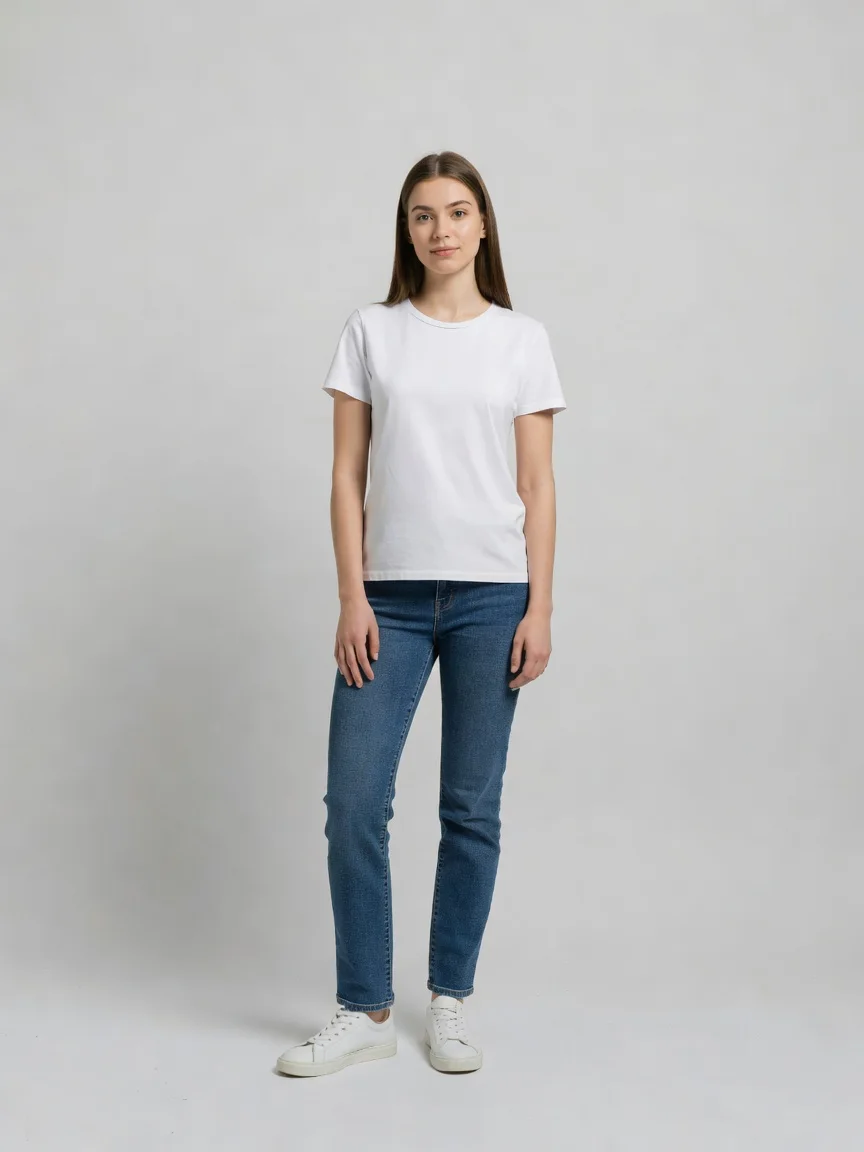
Combine up to 3 reference images
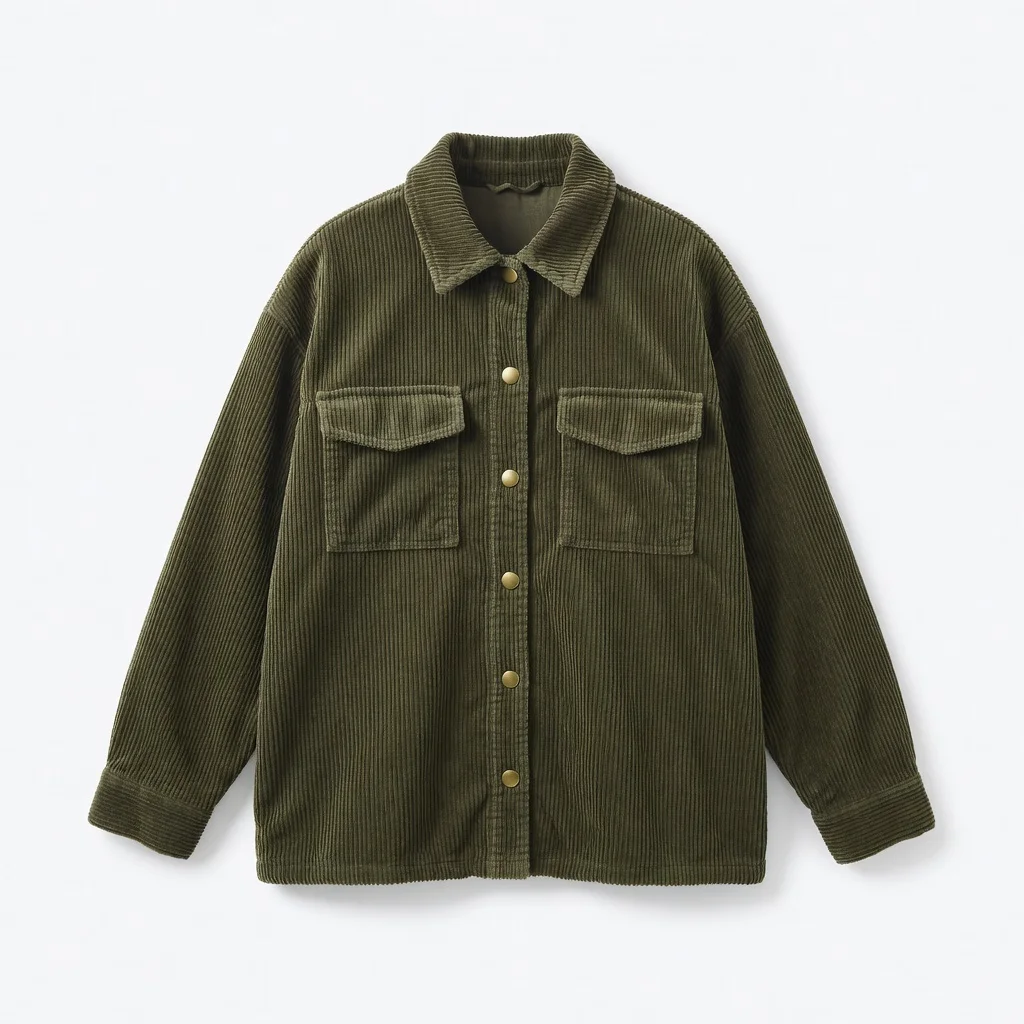
Add up to three images and use @ in the prompt to name what each one is for. Here a studio photo of a woman and a flat packshot of an overshirt become one street-style photo: same face, same jacket, new scene.
Input
Turn a rough sketch into a finished image
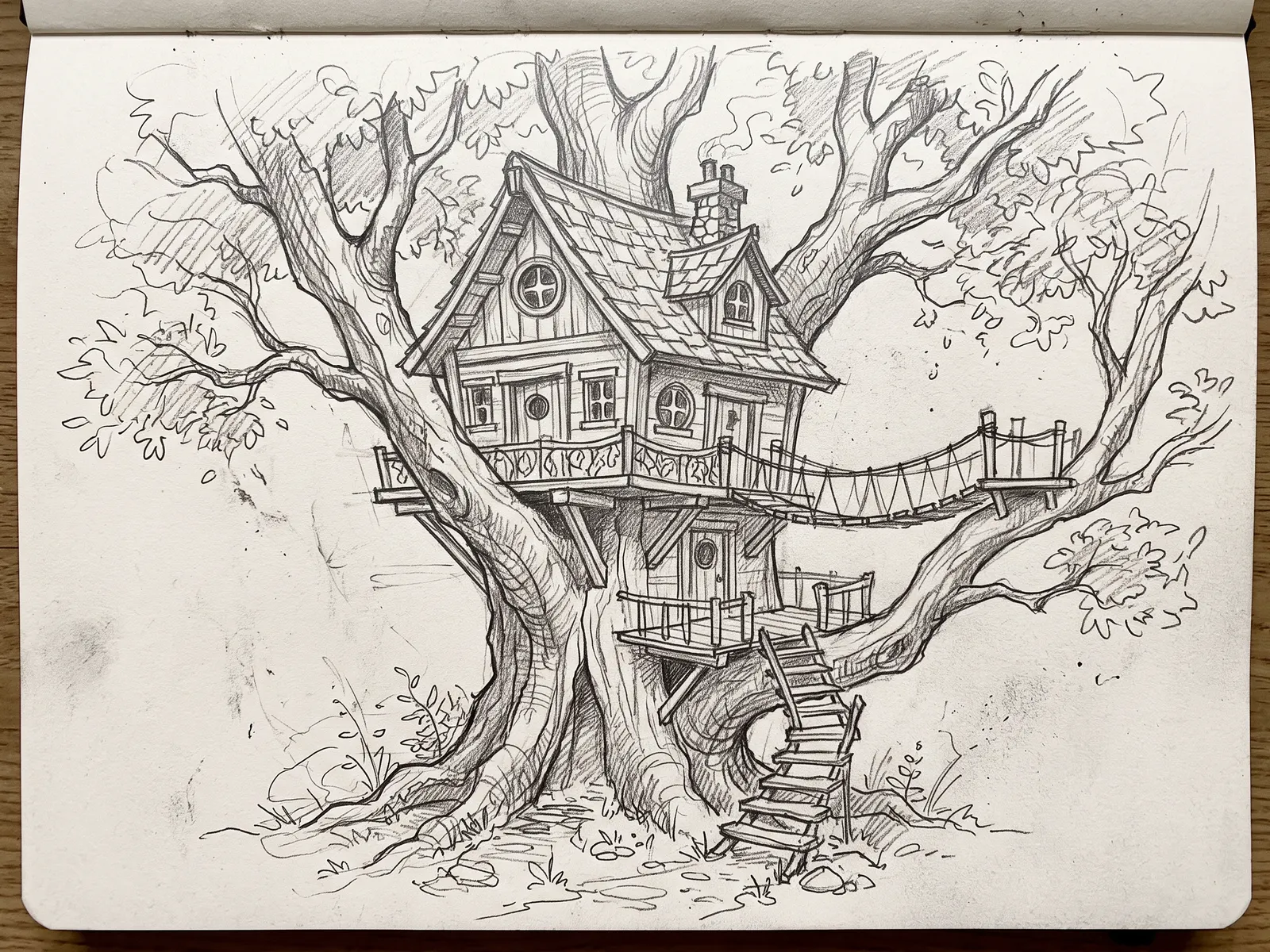
Start from a pencil drawing and ask for a photo, an illustration or a 3D render. The layout of the sketch holds: here the treehouse keeps its bridge, stairs and windows while it gains light, bark, leaves and depth.
Grok Imagine Image is xAI’s image generation and editing model. It has two tiers, standard and Quality (launched May 6, 2026), both making 1K or 2K images from text or up to 3 references.
Renoise has had both since June 17, 2026, alongside 30+ other models. Use it in the Canvas, or from Claude Code, Codex or OpenClaw.
Need 4K, 21:9 or more than 3 references? Use Nano Banana 2.
Grok Imagine Image at a glance
Credits per image
3
Same at 1K and 2K · Quality 6 or 9
Max output
2K
1K or 2K, one image per run
Reference images
3
Named with @ in the prompt
Aspect ratios
7
1:1 · 3:4 · 4:3 · 9:16 · 16:9 · 2:3 · 3:2
Specs as available in Renoise, checked October 27, 2026.
What people make with Grok Imagine Image
Thumbnails, storefronts and portraits, each a single Grok Imagine Image run in Renoise.
A 16:9 build-video thumbnail with the title “We built it in 24 hours” spelled right on the first try.
Travel vlog covers
Golden-hour rooftops, a relaxed host and a clean two-line title, framed for a 16:9 video cover.
Storefronts with their own signage
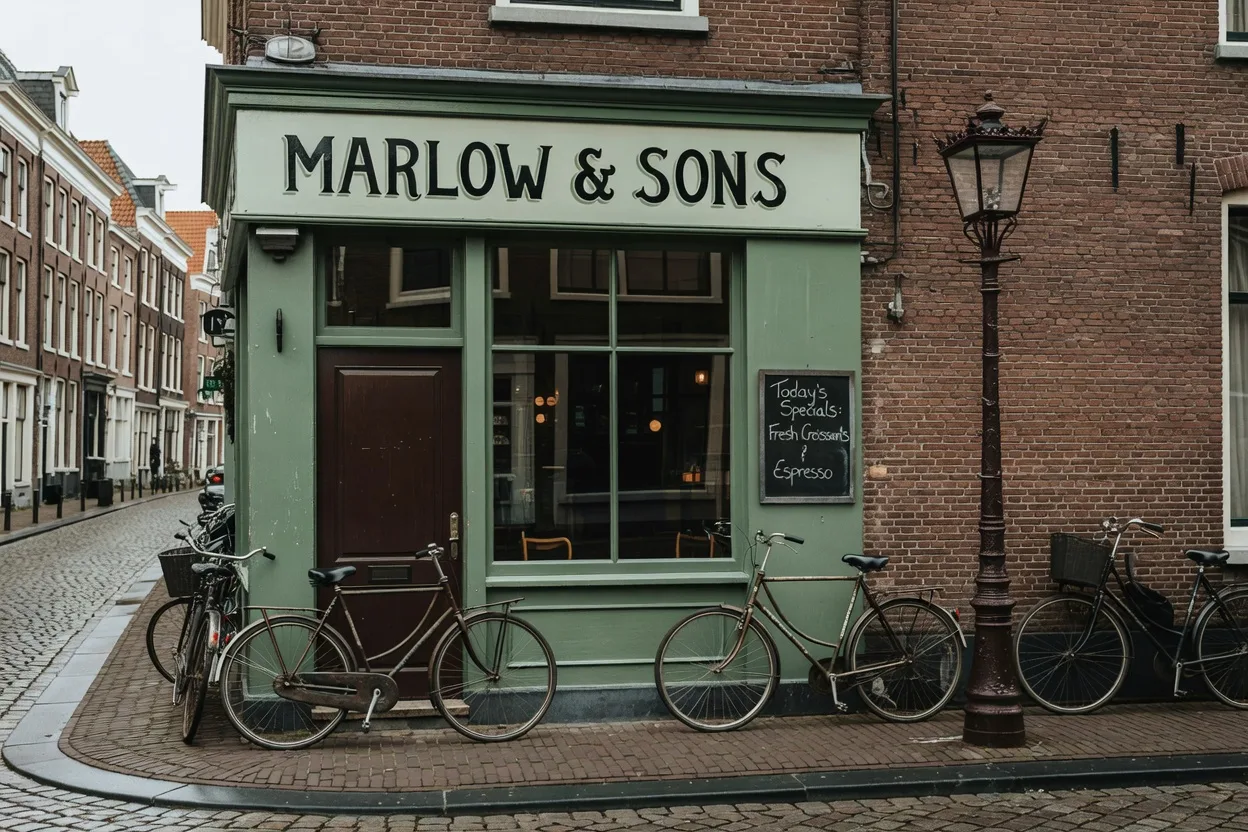
A brick corner café whose painted sign and door chalkboard are part of the scene, not pasted on.
Portraits for every age
A white beard, weathered hands and warm harbour light, with the texture of a real photograph.
How to use Grok Imagine Image in Renoise
Step 1
Pick Grok Imagine Image
Open Images or an image node in the Canvas and choose Grok Imagine Image for drafts and edits. Switch to Grok Imagine Image Quality for the final version.
Step 2
Add up to 3 reference images
Drop in photos to edit or combine. Give each image one job and name it with @ in the prompt: “put the person in @photo1 in the jacket from @photo2.”
Step 3
Write the prompt, pick ratio and size, generate
Put any words that must appear in quotes. Choose one of 7 ratios and 1K or 2K, then generate. Keep the result in the Canvas and turn it into a video with Grok Imagine Video.
From Grok’s first image model to the Quality tier’s switch to Image 2.0.
Grok gets an image model
xAI adds image generation to Grok under the code name Aurora. xAI has not tied that name to today’s Grok Imagine models.
Quality Mode on the xAI API
xAI launches grok-imagine-image-quality, which it says gives more photoreal images and cleaner text.
Both tiers live in Renoise
Grok Imagine Image and Grok Imagine Image Quality join the Renoise image picker, Canvas, API, CLI and MCP.
Grok Imagine Image 2.0
xAI releases Image 2.0 in the Grok app, and adds it to its API the same month. Renoise does not list it as a separate model.
Quality moves to Image 2.0
xAI retires the Quality model ID and serves its requests with Imagine Image 2.0 at the low quality setting. In Renoise the entry keeps its name, limits and credits.
Sources: x.ai news (Dec 2024, May 2026), docs.x.ai models page and Imagine Image Quality migration guide, Renoise model list. Last updated
Grok Imagine Image vs Image Quality: which to use
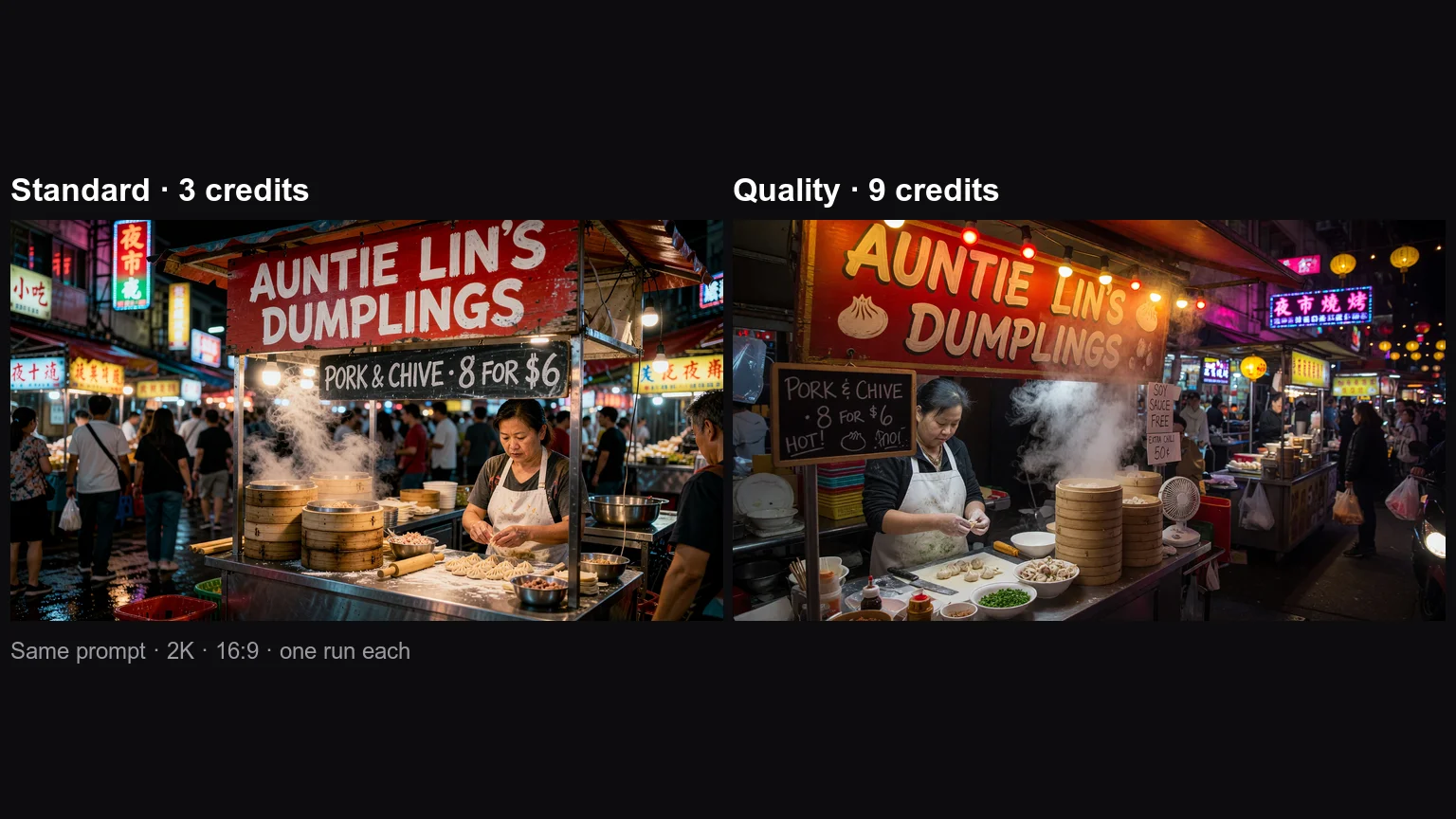
Same prompt at 2K and 16:9, one run each: Grok Imagine Image on the left, Grok Imagine Image Quality on the right.
Same prompt and settings, one generation each, October 27, 2026.
01
Quality costs two to three times as much
Grok Imagine Image is 3 credits per image at 1K or 2K. Grok Imagine Image Quality is 6 credits at 1K and 9 at 2K.
02
The limits are identical
Both tiers make 1K or 2K images in the same 7 ratios, take up to 3 reference images, edit photos the same way and return one image per run.
03
Quality adds detail, not just cleaner text
xAI says Quality is more photoreal with cleaner text. In our run both tiers spelled the sign right; Quality added richer light and props, plus two signs we never asked for.
04
Draft on Image, finish on Quality
Try prompts and edits on the 3-credit tier, then rerun the one you like on Quality. From November 2, 2026, xAI serves Quality with Imagine Image 2.0, so its look may shift.
Grok Imagine Image vs Image Quality vs Nano Banana 2
Two Grok tiers and the closest-priced Google model in the Renoise picker, compared on the limits Renoise exposes.
Resolution, aspect ratios, reference images and credits for one image in Renoise
In Renoise
Grok Imagine Image
Grok Imagine Image Quality
Nano Banana 2
Max resolution
2K
2K
4K
Aspect ratios
7, from 2:3 to 16:9
7, from 2:3 to 16:9
14, incl. 21:9 and 1:8
Reference images
Up to 3
Up to 3
Up to 14
Credits · 1 image at 1K
3
6
8
Credits · 1 image at 2K
3
9
12
Best for
Cheap photoreal drafts and edits
Final images with finer detail
4K, extreme ratios, many references
Renoise model list and credit estimates (checked 2026-10-27).
As of October 2026, 100,000+ creators in 170+ countries and regions use Renoise AI, an AI video, image and audio platform, to generate 300,000+ images and videos with 30+ models.
Creators
100K+
Registered accounts on Renoise since March 2026
Countries and regions
170+
Where creators signed in from in the last 90 days
Images and videos generated
300K+
Completed generations, March–October 2026
AI models
30+
Seedance, Kling, GPT Image, Midjourney and more in one subscription
Source: Renoise internal data, March–October 2026. Figures are rounded down and updated quarterly. Last updated
What creators say about Renoise
Real feedback from creators who use Renoise AI to make videos, images and ads.
LLộc Bùi Nguyễn Vinh
Renoise is pretty easy to use, with a clean and smooth interface. The results from Seedance 2.5 also feel noticeably smoother in action sequences.
FFaith Joy Cloma
Renoise Ai is a good tool for making ai videos and photos. it puts several Ai models in one place, so you don't need to use many different apps.
Renoise has been a great platform for AI creativity. The tools are easy to use, the experience is smooth, and it makes creating content more enjoyable and efficient. I really appreciate the work the team is doing and look forward to seeing more improvements. Highly recommended!
Ssergio ramos
What I like about Renoise AI compared to other platforms: Fast generation speed: Slow generation takes up way too much time, but Renoise AI is surprisingly about 30% faster. Intuitive and user-friendly UI: Cheaply made platforms have terrible UIs that make me not even want to log in, but Renoise is very clean and convenient. Remembers my previous settings: It helpfully remembers my last workspace settings. Some odd platforms force you to re-adjust everything every single time you generate a video, which is extremely frustrating. Overall preference: For all these reasons, Renoise AI is definitely my preferred platform. Thank you!
ZZeus
Renoise is your go to one stop all for ai creators. all view and use all models in one place, for any type of content you have your mind on!
MMichał Reszka
I have a creat experience with the app. Consistent characters but also unique. THere were some issues with storyline continuity and non-typical humanoid characters.
LLộc Bùi Nguyễn Vinh
Renoise is pretty easy to use, with a clean and smooth interface. The results from Seedance 2.5 also feel noticeably smoother in action sequences.
FFaith Joy Cloma
Renoise Ai is a good tool for making ai videos and photos. it puts several Ai models in one place, so you don't need to use many different apps.
Renoise has been a great platform for AI creativity. The tools are easy to use, the experience is smooth, and it makes creating content more enjoyable and efficient. I really appreciate the work the team is doing and look forward to seeing more improvements. Highly recommended!
Ssergio ramos
What I like about Renoise AI compared to other platforms: Fast generation speed: Slow generation takes up way too much time, but Renoise AI is surprisingly about 30% faster. Intuitive and user-friendly UI: Cheaply made platforms have terrible UIs that make me not even want to log in, but Renoise is very clean and convenient. Remembers my previous settings: It helpfully remembers my last workspace settings. Some odd platforms force you to re-adjust everything every single time you generate a video, which is extremely frustrating. Overall preference: For all these reasons, Renoise AI is definitely my preferred platform. Thank you!
ZZeus
Renoise is your go to one stop all for ai creators. all view and use all models in one place, for any type of content you have your mind on!
MMichał Reszka
I have a creat experience with the app. Consistent characters but also unique. THere were some issues with storyline continuity and non-typical humanoid characters.
LLộc Bùi Nguyễn Vinh
Renoise is pretty easy to use, with a clean and smooth interface. The results from Seedance 2.5 also feel noticeably smoother in action sequences.
FFaith Joy Cloma
Renoise Ai is a good tool for making ai videos and photos. it puts several Ai models in one place, so you don't need to use many different apps.
Renoise has been a great platform for AI creativity. The tools are easy to use, the experience is smooth, and it makes creating content more enjoyable and efficient. I really appreciate the work the team is doing and look forward to seeing more improvements. Highly recommended!
Ssergio ramos
What I like about Renoise AI compared to other platforms: Fast generation speed: Slow generation takes up way too much time, but Renoise AI is surprisingly about 30% faster. Intuitive and user-friendly UI: Cheaply made platforms have terrible UIs that make me not even want to log in, but Renoise is very clean and convenient. Remembers my previous settings: It helpfully remembers my last workspace settings. Some odd platforms force you to re-adjust everything every single time you generate a video, which is extremely frustrating. Overall preference: For all these reasons, Renoise AI is definitely my preferred platform. Thank you!
ZZeus
Renoise is your go to one stop all for ai creators. all view and use all models in one place, for any type of content you have your mind on!
MMichał Reszka
I have a creat experience with the app. Consistent characters but also unique. THere were some issues with storyline continuity and non-typical humanoid characters.
LLộc Bùi Nguyễn Vinh
Renoise is pretty easy to use, with a clean and smooth interface. The results from Seedance 2.5 also feel noticeably smoother in action sequences.
FFaith Joy Cloma
Renoise Ai is a good tool for making ai videos and photos. it puts several Ai models in one place, so you don't need to use many different apps.
Renoise has been a great platform for AI creativity. The tools are easy to use, the experience is smooth, and it makes creating content more enjoyable and efficient. I really appreciate the work the team is doing and look forward to seeing more improvements. Highly recommended!
Ssergio ramos
What I like about Renoise AI compared to other platforms: Fast generation speed: Slow generation takes up way too much time, but Renoise AI is surprisingly about 30% faster. Intuitive and user-friendly UI: Cheaply made platforms have terrible UIs that make me not even want to log in, but Renoise is very clean and convenient. Remembers my previous settings: It helpfully remembers my last workspace settings. Some odd platforms force you to re-adjust everything every single time you generate a video, which is extremely frustrating. Overall preference: For all these reasons, Renoise AI is definitely my preferred platform. Thank you!
ZZeus
Renoise is your go to one stop all for ai creators. all view and use all models in one place, for any type of content you have your mind on!
MMichał Reszka
I have a creat experience with the app. Consistent characters but also unique. THere were some issues with storyline continuity and non-typical humanoid characters.
Choose your plan
One Renoise plan unlocks Grok Imagine Image, Grok Imagine Image Quality and every other image and video model, billed per image from your plan credits.
The agent takes your idea all the way to a finished cut.
Edits and assembles your clips
Composites layers, text and effects
Converts formats for every platform
Starter and Standard: production work in Director Mode uses credits by usage. Advanced: free.
UNLIMITED GENS
MiniMax H3NO UNLIMITED
Seedance 2.0 MiniNO UNLIMITED
Seedream 5.0 ProNO UNLIMITED
✓Unlimited Concurrent Generations
No queue. Start as many paid generations as you want at once.
✓Renoise Agent (Beta) — chat to create
✓Frontier Agent model
Renoise Agent runs on frontier models from leading AI labs to plan your shots, write prompts, and pick the right model for each one. Chatting with the Agent is free on every plan.
✓Unlimited LLM Chats
✓Commercial Use
Content generated with Renoise.ai may be used commercially, subject to our Terms of Service
The agent takes your idea all the way to a finished cut.
Edits and assembles your clips
Composites layers, text and effects
Converts formats for every platform
Starter and Standard: production work in Director Mode uses credits by usage. Advanced: free.
UNLIMITED GENS
MiniMax H37-DAY UNLIMITED
Seedance 2.0 Mini7-DAY UNLIMITED
Seedream 5.0 Pro7-DAY UNLIMITED
Official Models
Available for 7 days each month, starting on your billing date
Generation speed may be limited
Not available in Renoise Agent, MCP or CLI
✓Unlimited Concurrent Generations
No queue. Start as many paid generations as you want at once.
✓Renoise Agent (Beta) — chat to create
✓Frontier Agent model
Renoise Agent runs on frontier models from leading AI labs to plan your shots, write prompts, and pick the right model for each one. Chatting with the Agent is free on every plan.
✓Unlimited LLM Chats
✓Commercial Use
Content generated with Renoise.ai may be used commercially, subject to our Terms of Service
The agent takes your idea all the way to a finished cut.
Edits and assembles your clips
Composites layers, text and effects
Converts formats for every platform
Starter and Standard: production work in Director Mode uses credits by usage. Advanced: free.
UNLIMITED GENS
MiniMax H32-DAY UNLIMITED
Seedance 2.0 Mini2-DAY UNLIMITED
Seedream 5.0 Pro2-DAY UNLIMITED
Official Models
Available for 2 days each month, starting on your billing date
Generation speed may be limited
Not available in Renoise Agent, MCP or CLI
✓Unlimited Concurrent Generations
No queue. Start as many paid generations as you want at once.
✓Renoise Agent (Beta) — chat to create
✓Frontier Agent model
Renoise Agent runs on frontier models from leading AI labs to plan your shots, write prompts, and pick the right model for each one. Chatting with the Agent is free on every plan.
✓Unlimited LLM Chats
✓Commercial Use
Content generated with Renoise.ai may be used commercially, subject to our Terms of Service
The agent takes your idea all the way to a finished cut.
Edits and assembles your clips
Composites layers, text and effects
Converts formats for every platform
Starter and Standard: production work in Director Mode uses credits by usage. Advanced: free.
UNLIMITED GENS
MiniMax H37-DAY UNLIMITED
Seedance 2.0 Mini7-DAY UNLIMITED
Seedream 5.0 Pro7-DAY UNLIMITED
Official Models
Available for 7 days each month, starting on your billing date
Generation speed may be limited
Not available in Renoise Agent, MCP or CLI
✓Unlimited Concurrent Generations
No queue. Start as many paid generations as you want at once.
✓Renoise Agent (Beta) — chat to create
✓Frontier Agent model
Renoise Agent runs on frontier models from leading AI labs to plan your shots, write prompts, and pick the right model for each one. Chatting with the Agent is free on every plan.
✓Unlimited LLM Chats
✓Commercial Use
Content generated with Renoise.ai may be used commercially, subject to our Terms of Service
✓Watermark-free exports
Grok Imagine Image FAQ
1.Is Grok Imagine Image 2.0 available in Renoise?
+
Not as its own model yet. But from November 2, 2026, xAI serves every Grok Imagine Image Quality request with Imagine Image 2.0 at its low quality setting, according to xAI’s migration guide. In Renoise the Quality entry keeps 3 reference images and 7 ratios; Image 2.0’s extra limits on xAI’s API are not open here.
2.What image model does Grok use? Is it Aurora?
+
Aurora was the code name of the image model xAI added to Grok in December 2024. Today xAI’s API sells the models as Grok Imagine Image, Grok Imagine Image Quality and Grok Imagine Image 2.0. xAI has not said whether these are Aurora or how they are built, so treat Aurora as the older name.
3.What resolution does Grok Imagine Image support?
+
1K or 2K, in both tiers, with 7 aspect ratios: 1:1, 3:4, 4:3, 9:16, 16:9, 2:3 and 3:2. There is no 4K setting. For a bigger file, run the result through the AI image upscaler, or generate natively in 4K with Nano Banana 2.
4.How many reference images can Grok use?
+
Up to 3 per image in Renoise, for both tiers. With two or more, name each one with @ in the prompt and Renoise passes xAI the exact image order, so you can say which picture gives the face and which gives the outfit. xAI’s Image 2.0 API accepts 5, which Renoise does not offer.
5.Can Grok edit images?
+
Yes. Add a photo, describe the change in one sentence and Grok Imagine Image returns an edited version: a new hairstyle, a different expression, a watermark removed. There is no mask or brush, so you cannot paint over a region; say where the change goes instead.
6.Can I turn a Grok image into a video?
+
Yes. Keep the image in the Renoise Canvas, connect it to a video node and pick Grok Imagine Video or any other video model. The still becomes the first frame or a reference, so the character and scene carry into motion without exporting or re-uploading anything.
7.How much does Grok Imagine Image cost?
+
In Renoise, Grok Imagine Image costs 3 credits per image at 1K or 2K. Grok Imagine Image Quality costs 6 credits at 1K and 9 at 2K. Each run returns one image, and credits come from your plan. See pricing for what each plan includes.
8.Is Grok Imagine free?
+
Not in Renoise. Grok Imagine Image is billed per image from the credits in your Renoise subscription, like every other model in the Canvas: 3 credits on the standard tier, 6 or 9 on Quality. Every Renoise plan is a paid subscription. xAI’s own Grok apps have separate plans that this page does not cover.
9.Is there a Grok Imagine Image API?
+
Yes. xAI’s own API offers grok-imagine-image, grok-imagine-image-quality and grok-imagine-image-2.0. Through Renoise, call `grok-image` or `grok-image-quality` with the same Renoise API key (X-API-Key), CLI and MCP you use for every other model, including from Claude Code, Codex and OpenClaw.
10.Can I use Grok images commercially?
+
Yes, on a paid Renoise plan: outputs are watermark-free for commercial work such as ads, product pages and client projects, within the Renoise terms. Use real people’s faces only when you have their likeness authorization, and do not generate celebrities or minors.
11.Who makes Grok Imagine?
+
Grok Imagine is made by xAI, the company behind the Grok assistant; it covers both images and video. Renoise does not train image models. It integrates Grok Imagine Image and Image Quality next to Nano Banana, GPT Image, Seedream, Midjourney and others in one picker.
Grok Imagine Image is in the Canvas.
Photoreal scenes, readable text.
Generate and edit with Grok Imagine Image or Image Quality in Renoise, then carry the result into video on the same Canvas.