Product video with a model, from two photos
The person and the product go in as separate photos and both stay consistent in one shot.
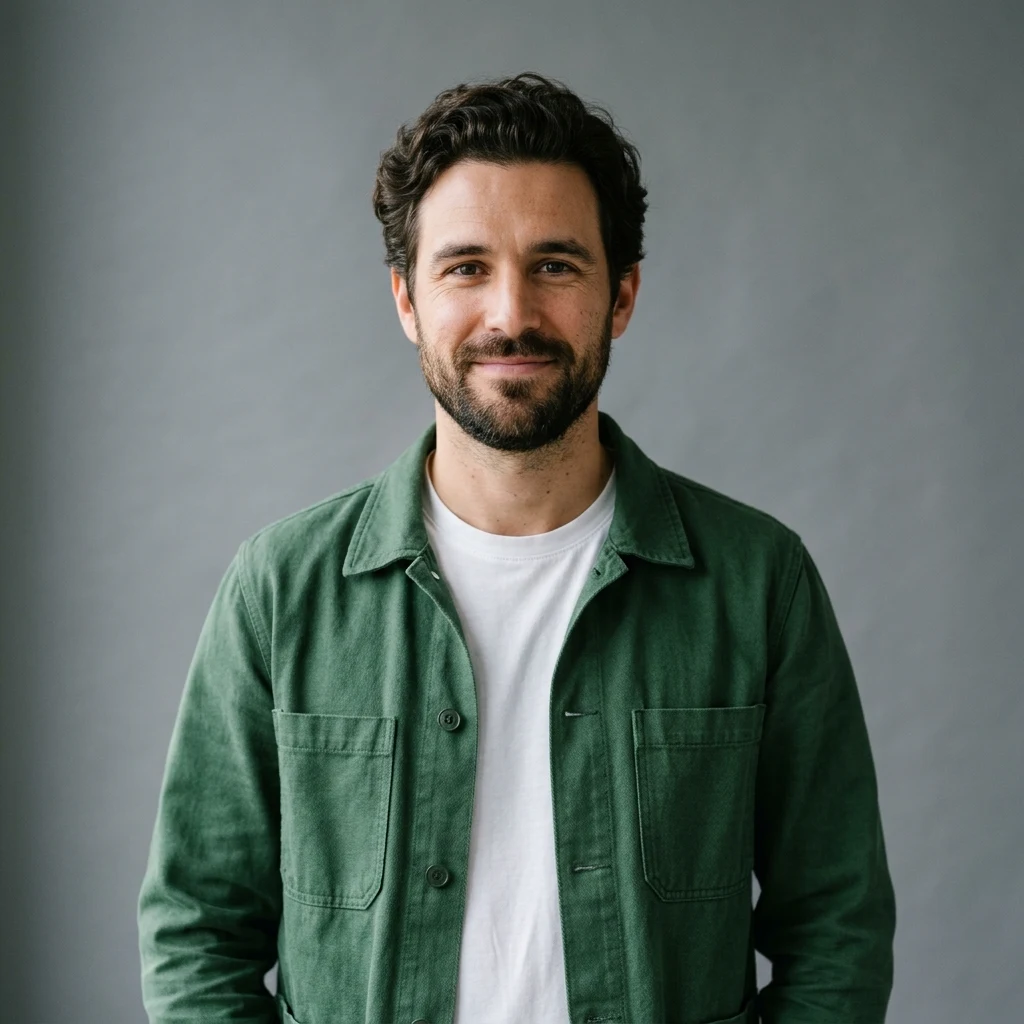
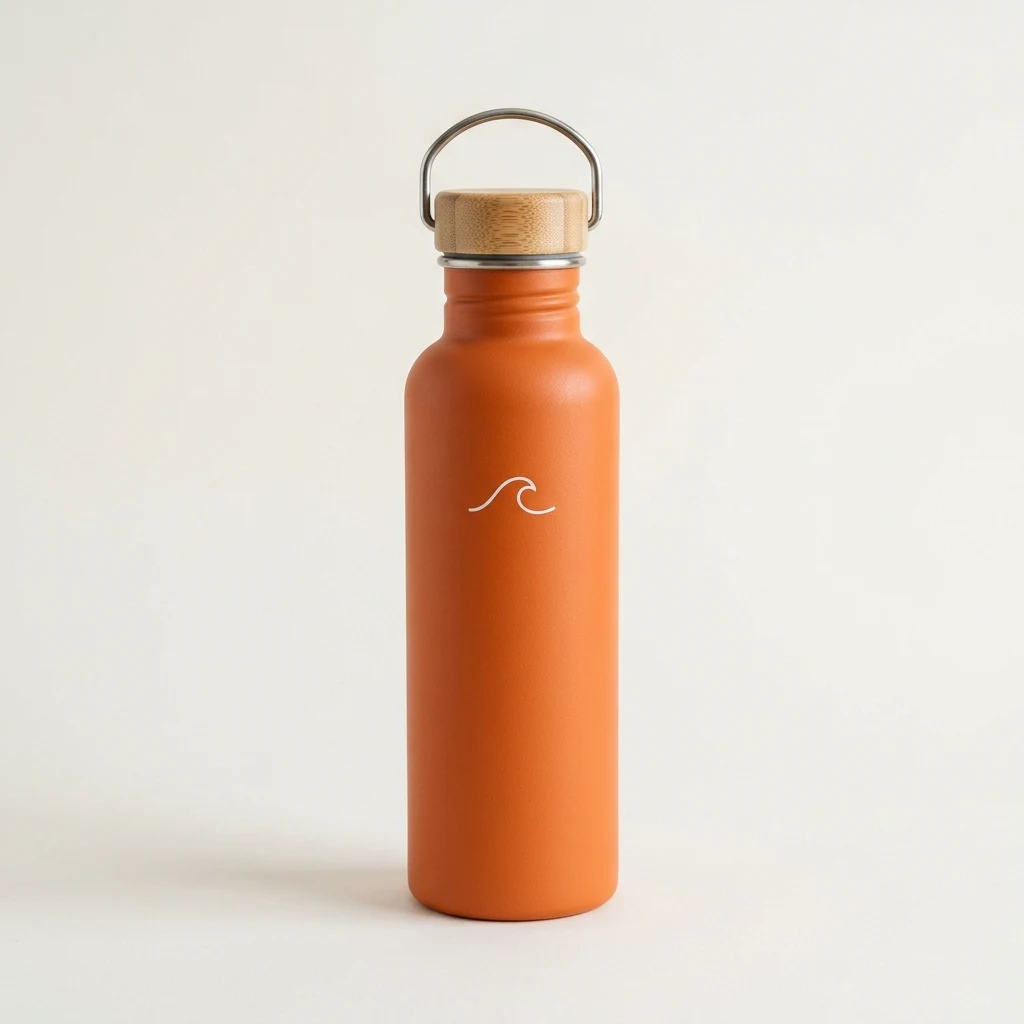
Upload a product photo and say where the ad will run. The Renoise Agent plans the shots and makes the video.
Opens in the Renoise Agent with your photos and request.
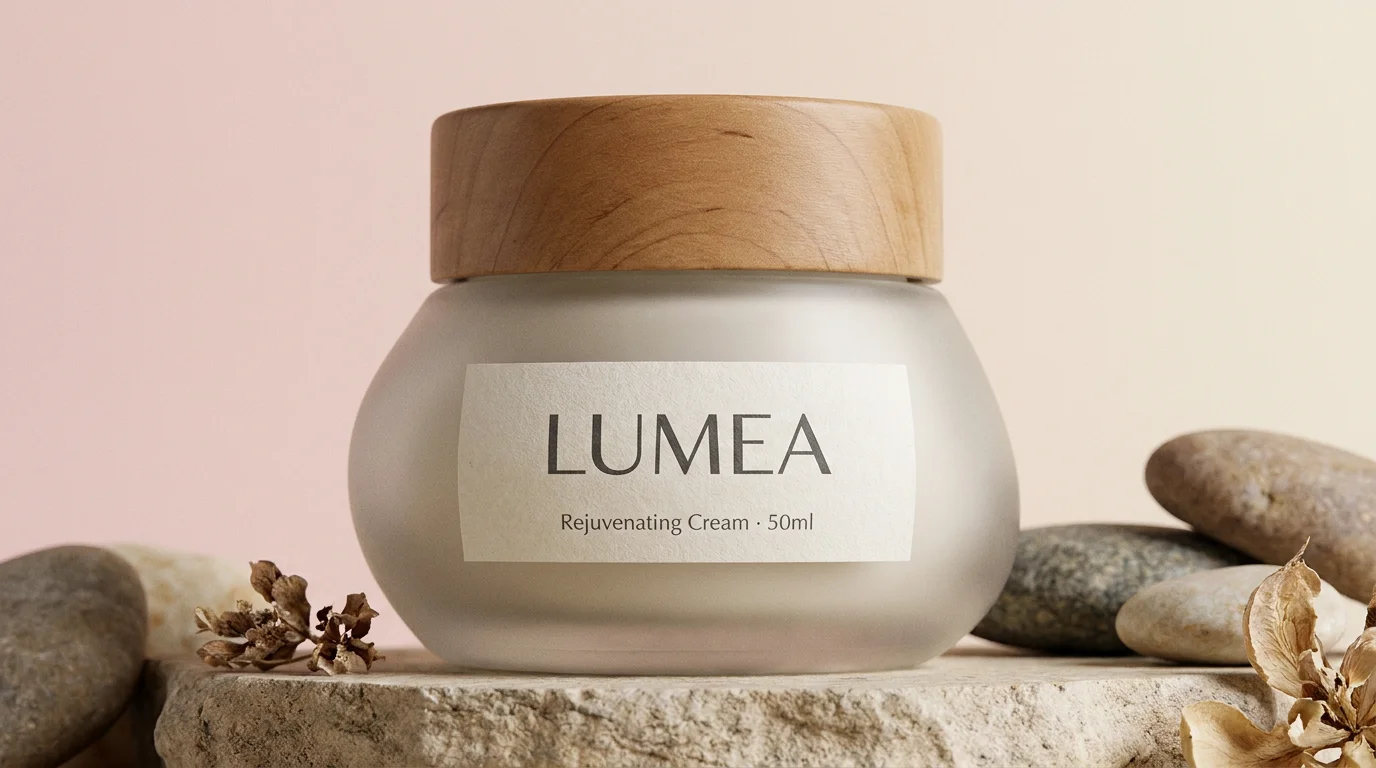
Real model output from one product photo. The label stays readable to the last frame.
The person and the product go in as separate photos and both stay consistent in one shot.
A suit, a dress, shoes, bags and props given as product photos, each worn or placed in its own scene.
A creator shows a smart ring to the camera and talks about it, cut with close-ups of the ring.
The same baker and the same lines, with a different box in his hands. The original is at the bottom.
Seedance 2.5, Kling 4.0 Omni, Wan 3.0 and more on one plan.
Seedance 2.5 takes up to 30 images: every angle of the product, plus a model.
Seedance 2.5, Kling 4.0 and Wan 3.0 make single clips up to 30 seconds.
Ask for a new opening, another aspect ratio or the next product in the same chat.
Upload a clear photo of the product, say where the video will run, how long it is and what happens in it, then generate. In Renoise the Agent writes the shot and picks the model; a 10-second 720p clip on Seedance 2.5 costs 320 credits.
Each clip has one aspect ratio, so a 9:16 and a 16:9 version are two clips.
Making one for TikTok step by step? See how to make a TikTok product video with AI.
Add up to 4 JPG, PNG or WebP photos, 20MB each: front, side, a label close-up, or a model.
Platform, length (4–30 seconds), ratio (9:16, 1:1 or 16:9) and the scene: studio, lifestyle or on camera.
Get the clip, then ask in the same chat for another opening, ratio or product, and download.
Four tools that rank for AI product video, compared on what each page itself says. "Not stated" means the page does not say.
| Feature | AdCreative.ai | FlexClip | lipsync.video | |
|---|---|---|---|---|
| What you upload | Product photos (up to 30) and text | A product photo or a product page URL | Photos or text, first and last frame | One product photo and a prompt |
| Video models named | Seedance 2.5, Kling 4.0 Omni, Wan 3.0 and more | Not stated | Veo 3.1, Sora 2 | Seedance 1.5 Pro |
| Clip length | 4–30 s per clip | Not stated | 8 s per clip | Auto or 5 s |
| Aspect ratios | 9:16, 1:1, 16:9, 4:3, 3:4, 21:9 | Not stated | Not stated | Auto, 9:16, 1:1, 16:9, 4:3, 3:4, 21:9 |
| People in the video | ✓ Your authorized photo or a generated model | Not stated | Not stated | ✓ AI avatars holding the product |
| Price shown | Starter $20/mo, 1,200 credits; 10 s at 720p = 320 | Starter $39/mo, 20 downloads | Not on the page | 30 credits per run |
Renoise: models API, /credit/estimate and plans API, checked 2026-11-06. adcreative.ai/product-videoshoot-ai, flexclip.com/tools/ai-product-video, lipsync.video/product-video-generator, accessed 2026-11-06.
Your photo is used as a reference, not redrawn from a description, so the shape, color and packaging come from the picture. Labels hold up better than you might expect: we pushed the camera from a medium shot to a full-frame close-up of a cream jar on Seedance 2.5 at 720p, and both the LUMEA brand name and the small "Rejuvenating Cream · 50ml" line under it stayed correct in every frame. That is one test, not a promise. Tiny print, ingredient lists, curved or shiny labels and fast motion are where text goes wrong first, so check every close-up before you post.
Give the model more to work from. A front photo, a side photo and a sharp label close-up help when the product turns, and a clean photo on a plain background is easier than a busy one. A short prompt gives a short idea: "turn my product photo into a 10-second vertical video ad" came back as a slow push-in on the same white backdrop. Name the scene, the camera move and what happens in it.
Each clip is one aspect ratio. We ran the same prompt at 9:16, 1:1 and 16:9 and got three clips framed for each shape, with the whole bottle in frame every time, not one clip cropped three ways. On the cheapest tier, Seedance 2.0 Mini at 480p, the bottle barely moved; Seedance 2.5 or Kling 4.0 Omni give more motion. The AI video generator page lists every model and what it costs.
People: use your own face or one you have permission to use, or let the Agent generate a model. Public figures and minors are not allowed.
Neighbouring jobs have their own pages: product stills in the AI product photography guide, creator-style talking ads in the AI UGC video guide, and a photo of a person talking to camera in the AI avatar generator.
What happens to an uploaded product photo, in plain words.
Picking a file only previews it on your device. Not one byte is stored until you sign in and click generate.
Uploads land in your private library, never a public gallery, and re-running the same product photo stores nothing new.
Remove uploads and results from your library whenever you want.
As of October 2026, 100,000+ creators in 170+ countries and regions use Renoise AI, an AI video, image and audio platform, to generate 300,000+ images and videos with 30+ models.
Source: Renoise internal data, March–October 2026. Figures are rounded down and updated quarterly. Last updated
Real feedback from creators who use Renoise AI to make videos, images and ads.
Renoise is pretty easy to use, with a clean and smooth interface. The results from Seedance 2.5 also feel noticeably smoother in action sequences.
Renoise Ai is a good tool for making ai videos and photos. it puts several Ai models in one place, so you don't need to use many different apps.
あまりAIツールを使ったりしたことなかったですが、キャラクターの固定や動画を続いて作成できて使いやすいです。これからどんどん進んでいくアップデートが楽しみです。
Renoise has been a great platform for AI creativity. The tools are easy to use, the experience is smooth, and it makes creating content more enjoyable and efficient. I really appreciate the work the team is doing and look forward to seeing more improvements. Highly recommended!
What I like about Renoise AI compared to other platforms: Fast generation speed: Slow generation takes up way too much time, but Renoise AI is surprisingly about 30% faster. Intuitive and user-friendly UI: Cheaply made platforms have terrible UIs that make me not even want to log in, but Renoise is very clean and convenient. Remembers my previous settings: It helpfully remembers my last workspace settings. Some odd platforms force you to re-adjust everything every single time you generate a video, which is extremely frustrating. Overall preference: For all these reasons, Renoise AI is definitely my preferred platform. Thank you!
Renoise is your go to one stop all for ai creators. all view and use all models in one place, for any type of content you have your mind on!
I have a creat experience with the app. Consistent characters but also unique. THere were some issues with storyline continuity and non-typical humanoid characters.
One plan unlocks every video model, plus the image and audio models. AI videos from $0.34 per video.
For your first AI creations
per month
≈ 150 GPT Image 2 Generations
≈ 60 Seedance 2.0 videos
The agent takes your idea all the way to a finished cut.
Starter and Standard: production work in Director Mode uses credits by usage. Advanced: free.
No queue. Start as many paid generations as you want at once.
Content generated with Renoise.ai may be used commercially, subject to our Terms of Service
For creating every week
per month
≈ 450 GPT Image 2 Generations
≈ 180 Seedance 2.0 videos
The agent takes your idea all the way to a finished cut.
Starter and Standard: production work in Director Mode uses credits by usage. Advanced: free.
No queue. Start as many paid generations as you want at once.
Renoise Agent runs on frontier models from leading AI labs to plan your shots, write prompts, and pick the right model for each one. Chatting with the Agent is free on every plan.
Content generated with Renoise.ai may be used commercially, subject to our Terms of Service
For professional-scale production
per month
≈ 1,750 GPT Image 2 Generations
≈ 700 Seedance 2.0 videos
The agent takes your idea all the way to a finished cut.
Starter and Standard: production work in Director Mode uses credits by usage. Advanced: free.
No queue. Start as many paid generations as you want at once.
Renoise Agent runs on frontier models from leading AI labs to plan your shots, write prompts, and pick the right model for each one. Chatting with the Agent is free on every plan.
Content generated with Renoise.ai may be used commercially, subject to our Terms of Service
For your first AI creations
per month, billed annually
Save $48compared to monthly
≈ 150 GPT Image 2 Generations
≈ 60 Seedance 2.0 videos
The agent takes your idea all the way to a finished cut.
Starter and Standard: production work in Director Mode uses credits by usage. Advanced: free.
No queue. Start as many paid generations as you want at once.
Content generated with Renoise.ai may be used commercially, subject to our Terms of Service
For creating every week
per month, billed annually
Save $216compared to monthly
≈ 450 GPT Image 2 Generations
≈ 180 Seedance 2.0 videos
The agent takes your idea all the way to a finished cut.
Starter and Standard: production work in Director Mode uses credits by usage. Advanced: free.
No queue. Start as many paid generations as you want at once.
Renoise Agent runs on frontier models from leading AI labs to plan your shots, write prompts, and pick the right model for each one. Chatting with the Agent is free on every plan.
Content generated with Renoise.ai may be used commercially, subject to our Terms of Service
For professional-scale production
per month, billed annually
Save $960compared to monthly
≈ 1,750 GPT Image 2 Generations
≈ 700 Seedance 2.0 videos
The agent takes your idea all the way to a finished cut.
Starter and Standard: production work in Director Mode uses credits by usage. Advanced: free.
No queue. Start as many paid generations as you want at once.
Renoise Agent runs on frontier models from leading AI labs to plan your shots, write prompts, and pick the right model for each one. Chatting with the Agent is free on every plan.
Content generated with Renoise.ai may be used commercially, subject to our Terms of Service
Not here: there is no free plan, and each clip is billed in credits by model, length and resolution. Following us on X and YouTube earns 20 credits, enough for one 4-second 480p clip on Seedance 2.0 Mini. A 10-second 720p clip on Seedance 2.5 is 320 credits.
It depends on the job. To build ad variants from a product page URL, AdCreative.ai is made for that. For a library of ready-made human presenters, Arcads. For several video models, clips up to 30 seconds and changes made in a chat, Renoise fits.
Yes. One clear photo is enough, and a few angles make turns steadier. If you only want to animate a photo rather than make an ad, the image to video AI page covers that.
Usually not. In our 5-second close-up test on Seedance 2.5, a jar label with a brand name and a small product line stayed correct in every frame. Very small print, curved or shiny labels and fast motion can still garble, so check close-ups before you post.
Seedance 2.5 makes 4 to 30 seconds per clip in 9:16, 1:1, 16:9, 4:3, 3:4 or 21:9, at up to 4K. Each clip is one ratio, so a vertical and a horizontal version are two clips.
Yes. Videos download as MP4, and you upload them yourself. Use 9:16 for TikTok and Reels, and 1:1 or 16:9 for a product page or store banner. Check each platform’s own video rules before you upload.
Yes, if it is you or someone who agreed to it: add their photo next to the product photo. Or ask for a generated model instead. Public figures and minors are not allowed.
Yes. Seedance 2.5 and Kling 4.0 Omni generate speech, ambience and effects with the picture; write the line you want in the prompt. For a photo of a person talking to camera at length, see the AI avatar generator.
Yes. Ask in the same chat for a new opening, another ratio or another product; the SKU example above keeps one performance and swaps what is in the hands. To start from a reference ad instead, use Marketing Studio.
Under Renoise’s terms you own your output, and commercial use follows your plan and the Terms of Service. Paid plans download without a watermark. Only use product photos, logos and faces you have the rights to.
Upload a product photo, or start from a reference ad in Marketing Studio.