A finished clip from one prompt
Type a prompt, no image needed. Kling 4.0 made this 15-second claymation scene, music included, in a single generation.
Prompt or image to video with Seedance, Kling, Wan and more.
Type a prompt, no image needed. Kling 4.0 made this 15-second claymation scene, music included, in a single generation.
Most models stop at 15 seconds. Seedance 2.5, Kling 4.0 and Wan 3.0 run up to 30 in one take.
MiniMax H3, Kling 4.0, Wan 3.0 and Seedance 2.5 generate dialogue, effects and music with the picture. Shown muted.
Add reference photos. Kling 4.0 Omni kept this man, his jacket and the bottle consistent through the shot.
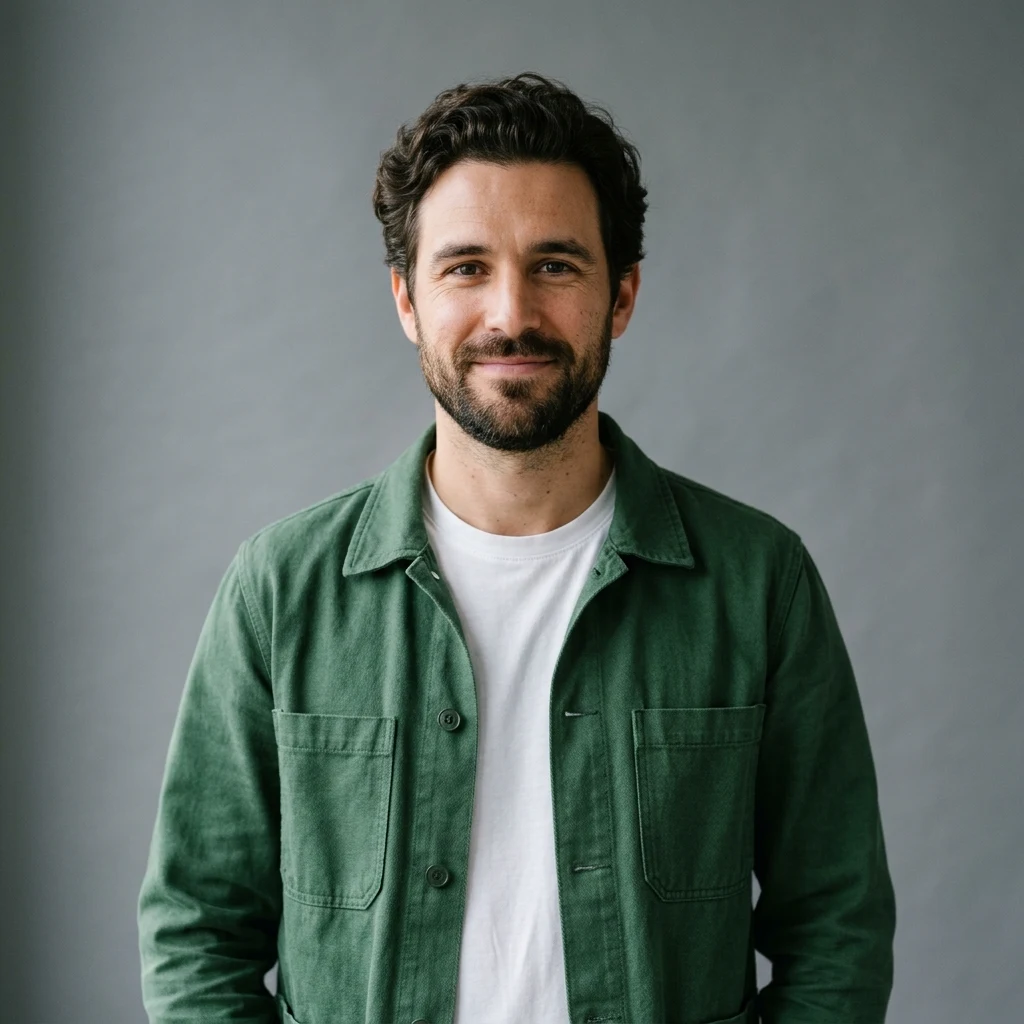
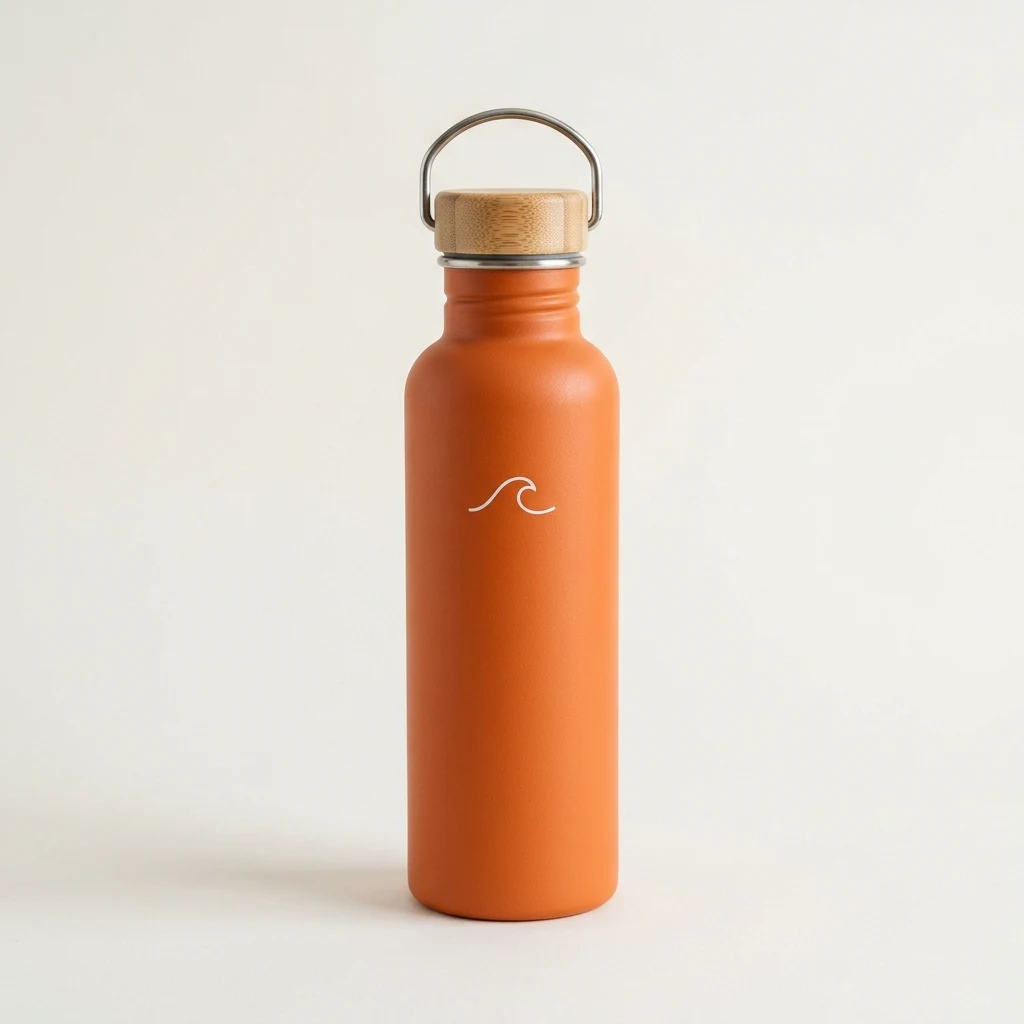
Write a prompt that describes the shot, or upload an image as the first frame. Then pick a video model, set the length and aspect ratio, and generate.
In Renoise, one clip runs from 1 to 30 seconds depending on the model, most models add sound in the same pass, and one plan covers every model.
Starting from words? Use text to video AI. From a photo? Use image to video AI.
Six of the video models in Renoise, all on one plan and all able to add sound. Vidu Q4, Grok Imagine Video and FLUX 3 Video are there too.
| Model | Clip length | Max resolution | Best for |
|---|---|---|---|
| Seedance 2.5 (ByteDance) | 4–30s | 4K | Long takes, many references |
| Seedance 2.0 (ByteDance) | 4–15s | 4K | 4K detail |
| Kling 4.0 (Kuaishou) | 3–30s | 4K (upscaled) | Long clips, 21:9 |
| Wan 3.0 (Alibaba) | 2–30s | 1080p | Lower-cost drafts |
| MiniMax H3 | 4–15s | 2K | Stereo sound, dialogue |
| Gemini Omni Flash (Google) | 3–10s | 720p | Editing a clip by chat |
Describe the subject, action, camera and sound in a sentence or two. Add reference images if you have them.
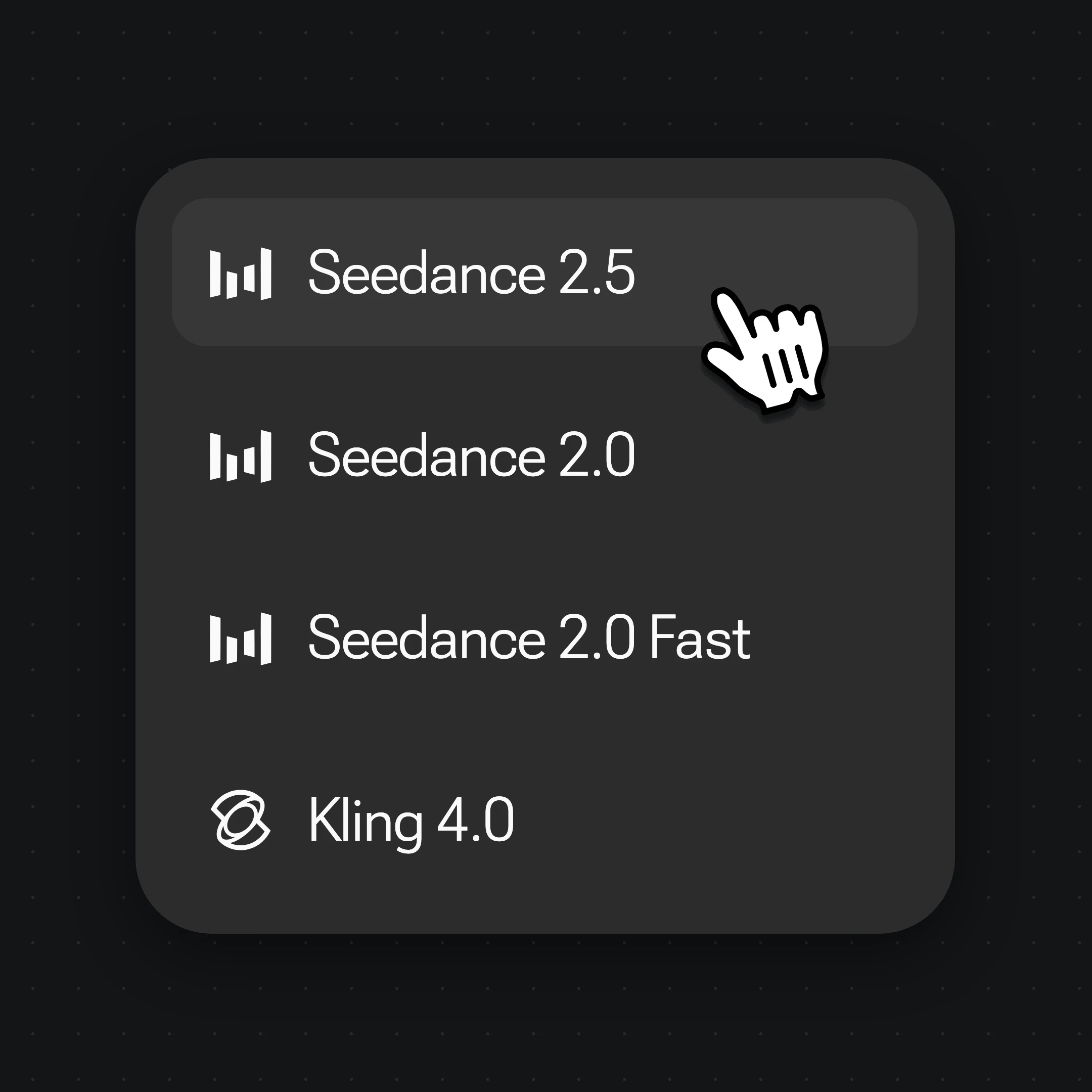
Choose Seedance 2.5, Kling 4.0, Wan 3.0, MiniMax H3 or another video model from the model menu.
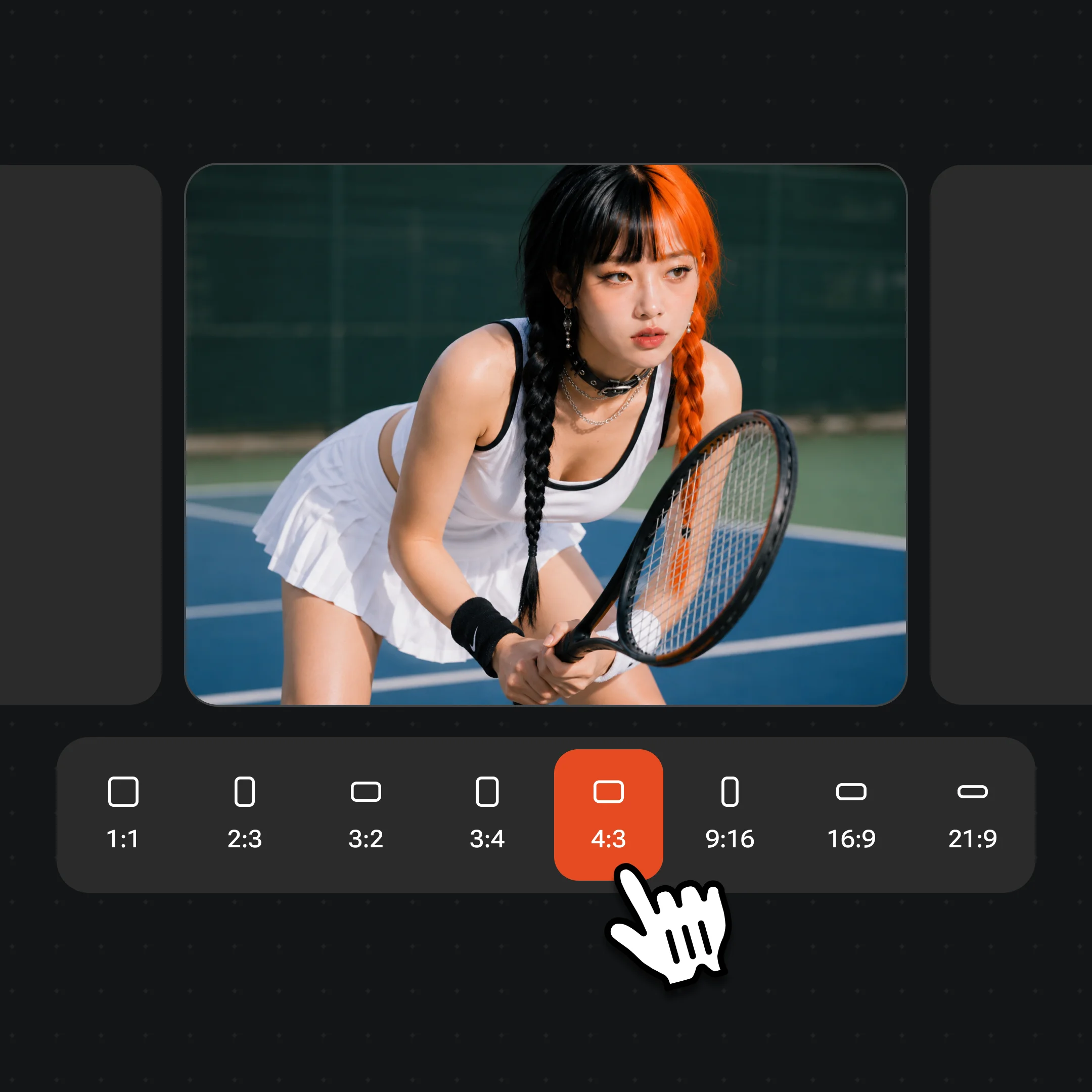
Set the length, aspect ratio and resolution the model offers, then click Generate.
Real clips made in Renoise, with the model each one used.
Kling 4.0: a rainy-night ramen shop, a cook at the fire and a customer in tears.
Seedance 2.0 at 4K: a grey wolf looks up, then races down a snowy slope.
MiniMax H3 Max: a woman vaults, climbs and flips across concrete rooftops.
Grok Imagine Video: a seagull snatches a man’s fries on an Istanbul pier.
As of October 2026, 100,000+ creators in 170+ countries and regions use Renoise AI, an AI video, image and audio platform, to generate 300,000+ images and videos with 30+ models.
Source: Renoise internal data, March–October 2026. Figures are rounded down and updated quarterly. Last updated
Real feedback from creators who use Renoise AI to make videos, images and ads.
Renoise is pretty easy to use, with a clean and smooth interface. The results from Seedance 2.5 also feel noticeably smoother in action sequences.
Renoise Ai is a good tool for making ai videos and photos. it puts several Ai models in one place, so you don't need to use many different apps.
あまりAIツールを使ったりしたことなかったですが、キャラクターの固定や動画を続いて作成できて使いやすいです。これからどんどん進んでいくアップデートが楽しみです。
Renoise has been a great platform for AI creativity. The tools are easy to use, the experience is smooth, and it makes creating content more enjoyable and efficient. I really appreciate the work the team is doing and look forward to seeing more improvements. Highly recommended!
What I like about Renoise AI compared to other platforms: Fast generation speed: Slow generation takes up way too much time, but Renoise AI is surprisingly about 30% faster. Intuitive and user-friendly UI: Cheaply made platforms have terrible UIs that make me not even want to log in, but Renoise is very clean and convenient. Remembers my previous settings: It helpfully remembers my last workspace settings. Some odd platforms force you to re-adjust everything every single time you generate a video, which is extremely frustrating. Overall preference: For all these reasons, Renoise AI is definitely my preferred platform. Thank you!
Renoise is your go to one stop all for ai creators. all view and use all models in one place, for any type of content you have your mind on!
I have a creat experience with the app. Consistent characters but also unique. THere were some issues with storyline continuity and non-typical humanoid characters.
One plan unlocks every video model, plus the image and audio models. AI videos from $0.34 per video.
For your first AI creations
per month
≈ 150 GPT Image 2 Generations
≈ 60 Seedance 2.0 videos
The agent takes your idea all the way to a finished cut.
Starter and Standard: production work in Director Mode uses credits by usage. Advanced: free.
No queue. Start as many paid generations as you want at once.
Content generated with Renoise.ai may be used commercially, subject to our Terms of Service
For creating every week
per month
≈ 450 GPT Image 2 Generations
≈ 180 Seedance 2.0 videos
The agent takes your idea all the way to a finished cut.
Starter and Standard: production work in Director Mode uses credits by usage. Advanced: free.
No queue. Start as many paid generations as you want at once.
Renoise Agent runs on frontier models from leading AI labs to plan your shots, write prompts, and pick the right model for each one. Chatting with the Agent is free on every plan.
Content generated with Renoise.ai may be used commercially, subject to our Terms of Service
For professional-scale production
per month
≈ 1,750 GPT Image 2 Generations
≈ 700 Seedance 2.0 videos
The agent takes your idea all the way to a finished cut.
Starter and Standard: production work in Director Mode uses credits by usage. Advanced: free.
No queue. Start as many paid generations as you want at once.
Renoise Agent runs on frontier models from leading AI labs to plan your shots, write prompts, and pick the right model for each one. Chatting with the Agent is free on every plan.
Content generated with Renoise.ai may be used commercially, subject to our Terms of Service
For your first AI creations
per month, billed annually
Save $48compared to monthly
≈ 150 GPT Image 2 Generations
≈ 60 Seedance 2.0 videos
The agent takes your idea all the way to a finished cut.
Starter and Standard: production work in Director Mode uses credits by usage. Advanced: free.
No queue. Start as many paid generations as you want at once.
Content generated with Renoise.ai may be used commercially, subject to our Terms of Service
For creating every week
per month, billed annually
Save $216compared to monthly
≈ 450 GPT Image 2 Generations
≈ 180 Seedance 2.0 videos
The agent takes your idea all the way to a finished cut.
Starter and Standard: production work in Director Mode uses credits by usage. Advanced: free.
No queue. Start as many paid generations as you want at once.
Renoise Agent runs on frontier models from leading AI labs to plan your shots, write prompts, and pick the right model for each one. Chatting with the Agent is free on every plan.
Content generated with Renoise.ai may be used commercially, subject to our Terms of Service
For professional-scale production
per month, billed annually
Save $960compared to monthly
≈ 1,750 GPT Image 2 Generations
≈ 700 Seedance 2.0 videos
The agent takes your idea all the way to a finished cut.
Starter and Standard: production work in Director Mode uses credits by usage. Advanced: free.
No queue. Start as many paid generations as you want at once.
Renoise Agent runs on frontier models from leading AI labs to plan your shots, write prompts, and pick the right model for each one. Chatting with the Agent is free on every plan.
Content generated with Renoise.ai may be used commercially, subject to our Terms of Service
It depends on the shot. For long takes up to 30 seconds, use Seedance 2.5 or Kling 4.0. For dialogue and stereo sound, use MiniMax H3. For native 4K, use Seedance 2.0. For cheaper drafts, use Wan 3.0. Renoise has all of them on one plan, so you can run the same prompt on two models and keep the better take.
There are three main kinds. Generative models such as Seedance, Kling and Wan create new footage from a prompt or an image. AI video makers assemble templates, stock footage and text into an edit. Avatar tools put a digital presenter in front of a script. Renoise is the first kind, and the Renoise Agent can also make talking-avatar videos with Wan 3.0.
One generation runs 1 to 30 seconds, depending on the model. Most stop at 10 or 15 seconds; Seedance 2.5, Kling 4.0 and Wan 3.0 reach 30. None of the models in Renoise makes a 10-minute video in one go: longer videos are built shot by shot, on the Canvas or by handing the job to the Renoise Agent.
Yes. MiniMax H3, Kling 4.0, Vidu Q4 and Gemini Omni Flash always generate audio with the picture. Seedance 2.5, Wan 3.0, Grok Imagine Video and FLUX 3 Video can too. Kling voices the dialogue you write in the prompt, with lip sync. For music or voice-over on its own, Renoise has Lyria 3 Pro and Seed Audio 1.0.
Each generation is one clip of 30 seconds at most, so a long video needs several shots. Small text in the frame, hands and very fast motion can still come out wrong; rerun the shot or try another model. Real faces need likeness rights. When a clip is close, edit it instead of starting over: Seedance 2.5 and Gemini Omni Flash take an existing clip plus a text instruction.
In Renoise, Seedance 2.0, Seedance 2.5 and Vidu Q4 output native 4K; Kling 4.0 and FLUX 3 Video deliver 2K and 4K upscaled from the same generation. Any other clip can be upscaled to 4K afterwards. See Seedance 4K for 4K samples.
Yes. Upload a photo as the first frame, describe the motion, and the model animates it; several models also take a last frame. Vidu Q4 works only from images. For a one-step version, use image to video AI.
Renoise is subscription-based: one plan covers every video model, and each clip costs credits based on the model, length and resolution. AI videos start from $0.34 per video. See pricing for plans.
Yes, if you hold likeness rights to the face, such as your own or one you have written consent for. On Seedance 2.0, faces are checked automatically when you submit, with no extra step, and a face can still be declined. Celebrities, public figures and minors are not allowed, and local laws apply.