Generate a 30-second shot in one pass
Pick any whole second from 3 to 30. A 30-second take comes out of one generation, so a full scene, a product walkthrough or a music-video verse holds together without stitching short clips and hiding the seams.
3–30s clips with native audio, up to 4K and 21:9.
Each clip below is a single Kling 4.0 generation made in Renoise, shown muted.
Pick any whole second from 3 to 30. A 30-second take comes out of one generation, so a full scene, a product walkthrough or a music-video verse holds together without stitching short clips and hiding the seams.
Dialogue, sound effects and ambience are generated with the picture, and audio is always on. Kuaishou says the sound is two-channel stereo with tighter lip sync across English, Chinese, Japanese, Korean, Spanish and more.
Put the exact words in quotes and Kling 4.0 keeps signs, titles and labels legible while the camera moves. Here English and Japanese neon signs stay sharp through a rainy push-in, which older video models usually smear.
Render in 21:9 for a film-style frame, or 16:9, 9:16 and 1:1 for YouTube, Reels and feeds. Ultrawide works well for landscapes, chases and two-person action, where a 16:9 crop would cut someone out.
Kling 4.0 Omni takes up to 10 reference images, so the same face, jacket and bottle carry through the shot. It also takes up to 5 reference videos (30 seconds in total) to borrow motion, camera moves or style.
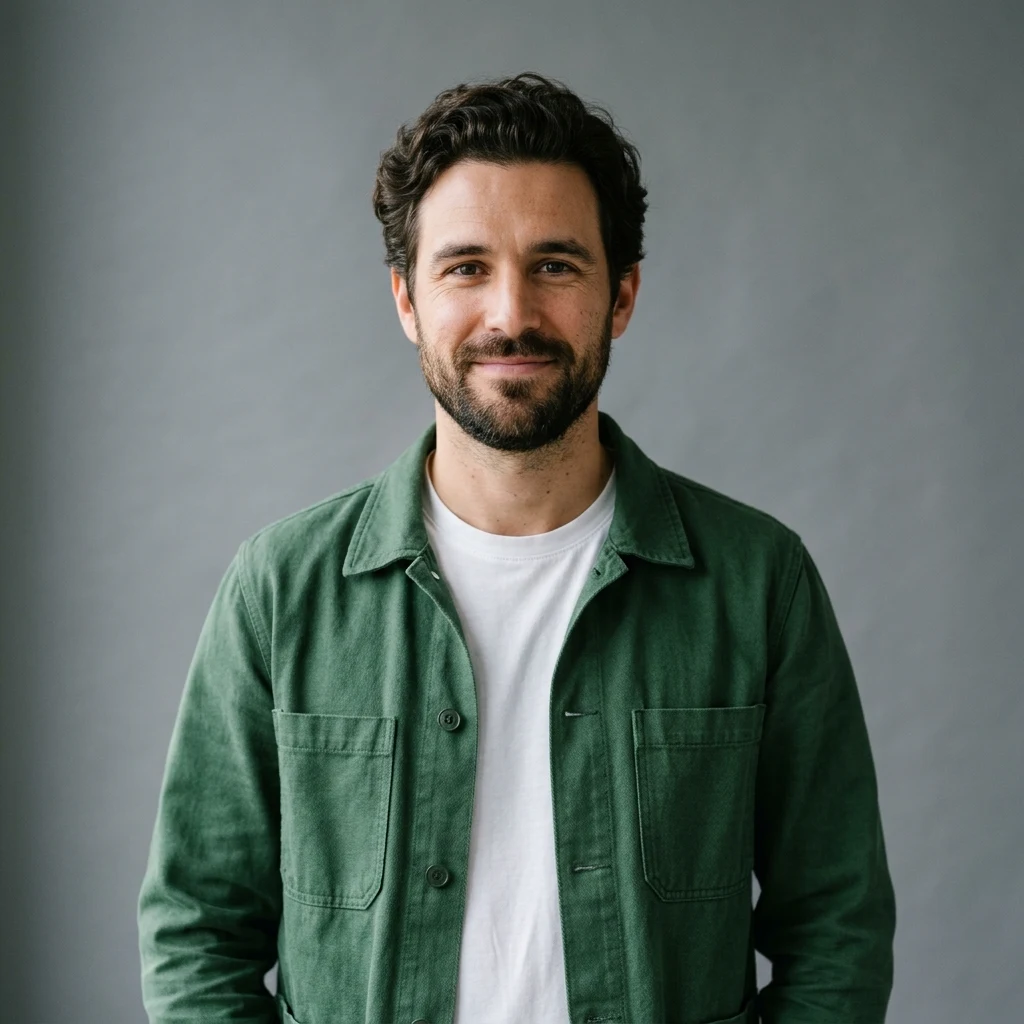
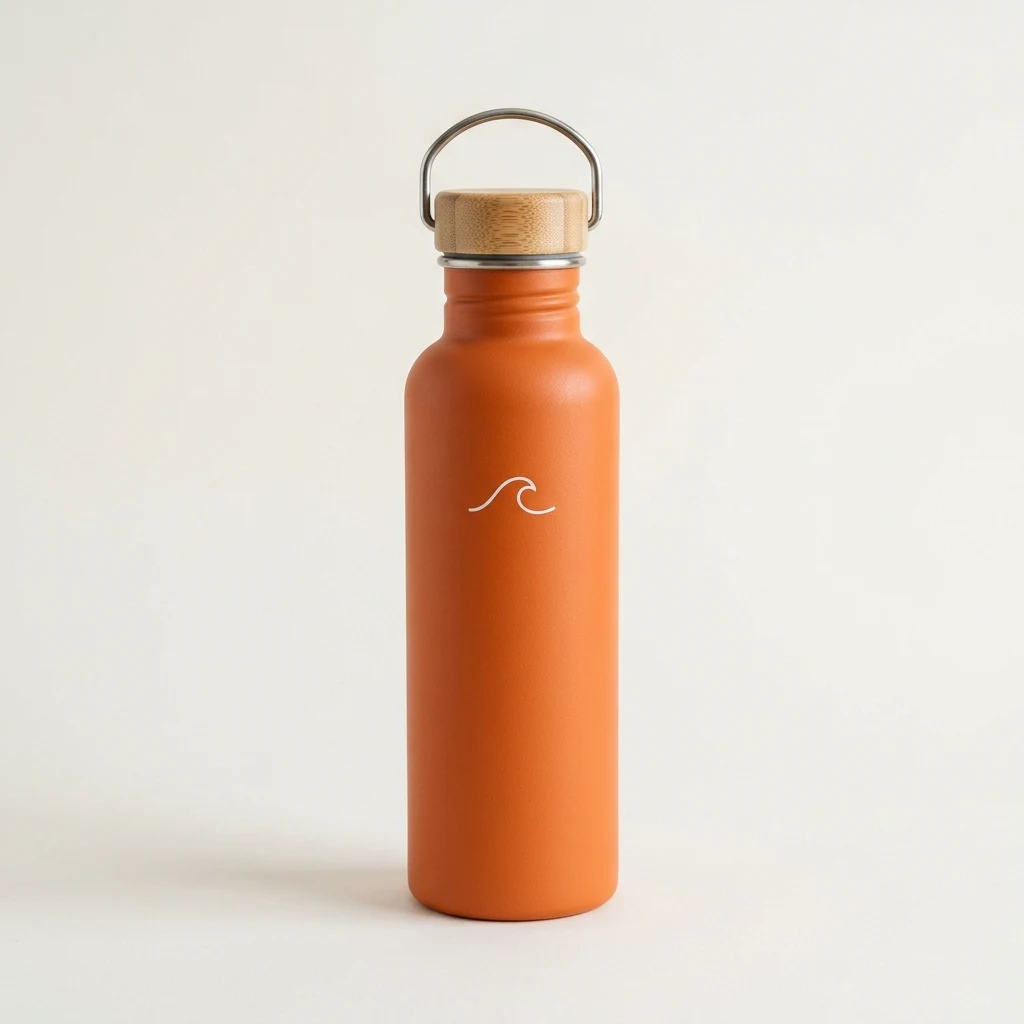
Kling 4.0 is Kuaishou’s fourth-generation AI video model, available to everyone since October 15, 2026. It makes 3–30 second clips with native stereo audio, up to 4K and 21:9.
Renoise has Kling 4.0 and Kling 4.0 Omni on one subscription with 30+ other models. Switch models per shot in the Canvas, or generate from Claude Code, Codex or OpenClaw.
Need dozens of references or audio references? Use Seedance 2.5. Starting from words only? See text to video AI.
Specs as available in Renoise, checked October 27, 2026.
Ads, anime, claymation and action, each a single Kling 4.0 generation in Renoise.
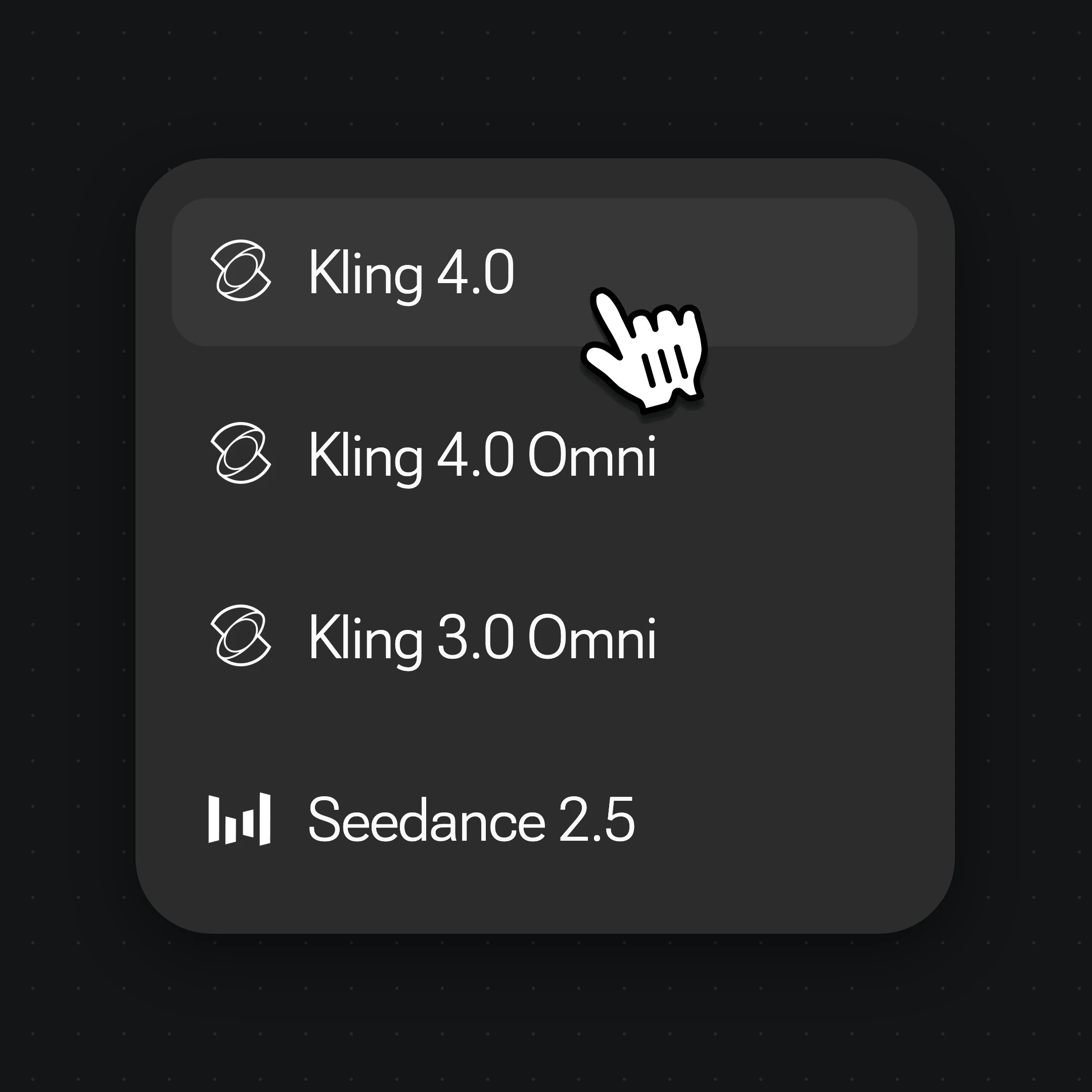
Open Videos and choose Kling 4.0 for text, first-frame or first-and-last-frame video, or Kling 4.0 Omni to steer the shot with reference images and videos.
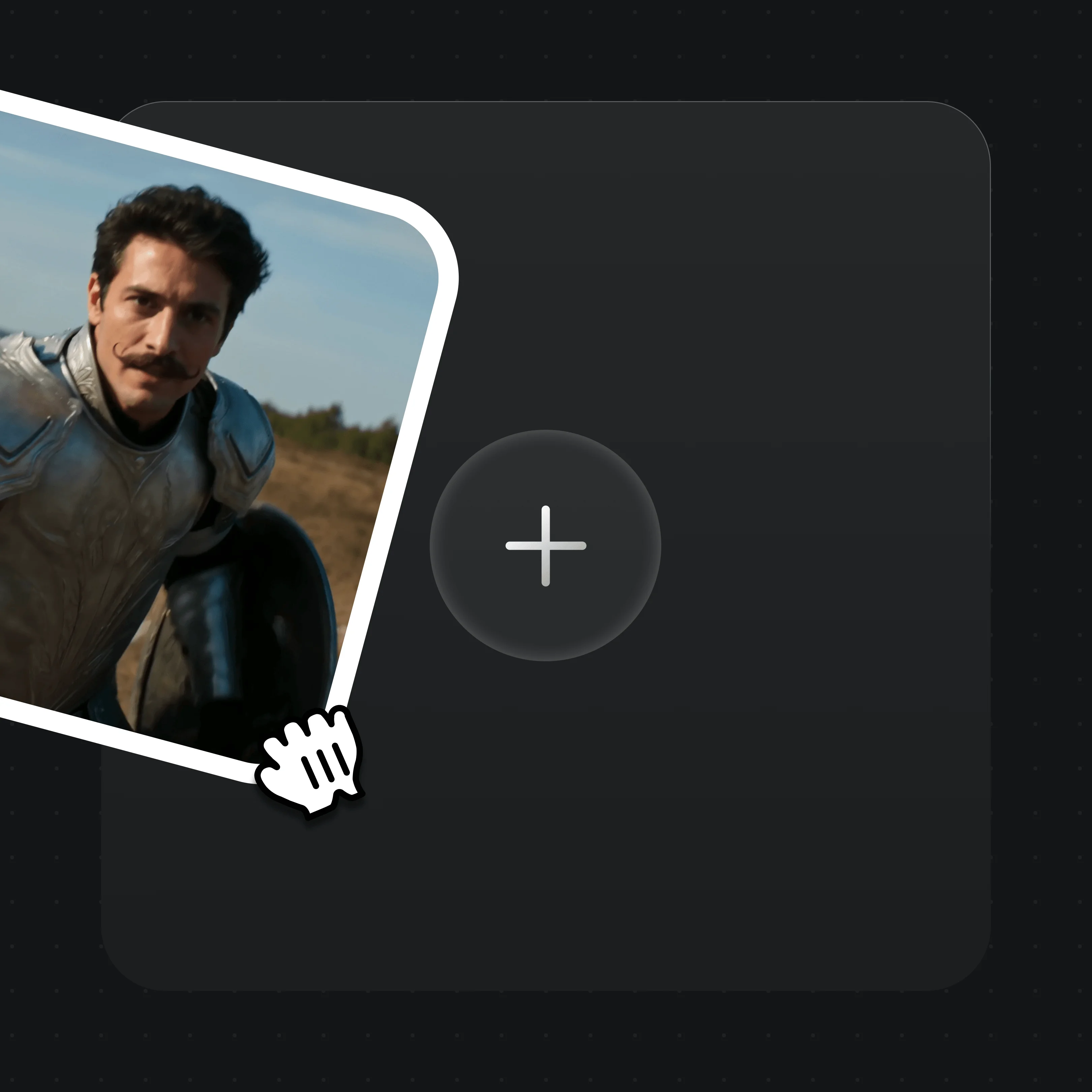
Drop in a first frame (and a last frame), or Omni references, never both in one task. Say what each reference is for in the prompt: “use image 1 for the face, image 2 for the bottle.”
Kuaishou’s guide suggests timestamped beats (“0–3 seconds: …”) and adding “no subtitles” or “no background music” when you don’t want them. Set 3–30 seconds, the ratio and 720p to 4K.
From early access to the reference-video update in Renoise.
Kuaishou opens the faster Flash version (3–20s, 720p) to a limited group of users.
The full Kling 4.0 becomes available to all Kling AI users, with 3–30s clips, 4K and Omni Reference.
Kling 4.0 and Kling 4.0 Omni join the Renoise model picker, API, CLI and MCP.
Kling 4.0 Omni in Renoise starts accepting up to 5 reference videos for motion, camera moves and style.
Sources: Kling AI release notes and blog, Kuaishou investor relations, Renoise model list. Last updated
Same prompt, same 720p, 10 seconds: Kling 4.0 on the left, Kling 3.0 Omni on the right.
Kling 4.0 runs any whole second up to 30. Kling 3.0 Omni stops at 15 and only offers 3, 5, 10 or 15 seconds.
Kling 3.0 Omni tops out at 1080p in three ratios. Kling 4.0 adds upscaled 2K and 4K plus a 21:9 ultrawide frame.
Kling 4.0 Omni takes 10 reference images and 5 reference videos, against 7 images and 1 video on Kling 3.0 Omni.
At 720p, Kling 3.0 Omni costs 16 credits per second against 26 for Kling 4.0. For a quick 5-second test, it is the lighter pick. See Kling 3.0 Omni.
Three video models in the Renoise picker, compared on the limits Renoise exposes, not each vendor’s full spec sheet.
| In Renoise | Kling 3.0 Omni | Seedance 2.5 | |
|---|---|---|---|
| Clip length | 3–30s, any second | 3, 5, 10 or 15s | 4–30s, any second |
| Max resolution | 4K (2K/4K upscaled) | 1080p | 4K |
| References | Omni: 10 images, 5 videos | 7 images, 1 video | 30 images, 10 videos, 10 audio |
| Native audio | Always on | On; off with a reference video | On |
| Credits · 5s at 720p | 130 (155 with a reference video) | 80 | 160 |
| Best for | Long shots, 4K, 21:9 | Cheap short clips | Many references, audio references |
Renoise model list and credit estimates (checked 2026-10-27).
As of October 2026, 100,000+ creators in 170+ countries and regions use Renoise AI, an AI video, image and audio platform, to generate 300,000+ images and videos with 30+ models.
Source: Renoise internal data, March–October 2026. Figures are rounded down and updated quarterly. Last updated
Real feedback from creators who use Renoise AI to make videos, images and ads.
Renoise is pretty easy to use, with a clean and smooth interface. The results from Seedance 2.5 also feel noticeably smoother in action sequences.
Renoise Ai is a good tool for making ai videos and photos. it puts several Ai models in one place, so you don't need to use many different apps.
あまりAIツールを使ったりしたことなかったですが、キャラクターの固定や動画を続いて作成できて使いやすいです。これからどんどん進んでいくアップデートが楽しみです。
Renoise has been a great platform for AI creativity. The tools are easy to use, the experience is smooth, and it makes creating content more enjoyable and efficient. I really appreciate the work the team is doing and look forward to seeing more improvements. Highly recommended!
What I like about Renoise AI compared to other platforms: Fast generation speed: Slow generation takes up way too much time, but Renoise AI is surprisingly about 30% faster. Intuitive and user-friendly UI: Cheaply made platforms have terrible UIs that make me not even want to log in, but Renoise is very clean and convenient. Remembers my previous settings: It helpfully remembers my last workspace settings. Some odd platforms force you to re-adjust everything every single time you generate a video, which is extremely frustrating. Overall preference: For all these reasons, Renoise AI is definitely my preferred platform. Thank you!
Renoise is your go to one stop all for ai creators. all view and use all models in one place, for any type of content you have your mind on!
I have a creat experience with the app. Consistent characters but also unique. THere were some issues with storyline continuity and non-typical humanoid characters.
One Renoise plan unlocks Kling 4.0, Kling 4.0 Omni and every other video and image model, billed per generation from your plan credits.
For your first AI creations
per month
≈ 150 GPT Image 2 Generations
≈ 60 Seedance 2.0 videos
The agent takes your idea all the way to a finished cut.
Starter and Standard: production work in Director Mode uses credits by usage. Advanced: free.
No queue. Start as many paid generations as you want at once.
Content generated with Renoise.ai may be used commercially, subject to our Terms of Service
For creating every week
per month
≈ 450 GPT Image 2 Generations
≈ 180 Seedance 2.0 videos
The agent takes your idea all the way to a finished cut.
Starter and Standard: production work in Director Mode uses credits by usage. Advanced: free.
No queue. Start as many paid generations as you want at once.
Renoise Agent runs on frontier models from leading AI labs to plan your shots, write prompts, and pick the right model for each one. Chatting with the Agent is free on every plan.
Content generated with Renoise.ai may be used commercially, subject to our Terms of Service
For professional-scale production
per month
≈ 1,750 GPT Image 2 Generations
≈ 700 Seedance 2.0 videos
The agent takes your idea all the way to a finished cut.
Starter and Standard: production work in Director Mode uses credits by usage. Advanced: free.
No queue. Start as many paid generations as you want at once.
Renoise Agent runs on frontier models from leading AI labs to plan your shots, write prompts, and pick the right model for each one. Chatting with the Agent is free on every plan.
Content generated with Renoise.ai may be used commercially, subject to our Terms of Service
For your first AI creations
per month, billed annually
Save $48compared to monthly
≈ 150 GPT Image 2 Generations
≈ 60 Seedance 2.0 videos
The agent takes your idea all the way to a finished cut.
Starter and Standard: production work in Director Mode uses credits by usage. Advanced: free.
No queue. Start as many paid generations as you want at once.
Content generated with Renoise.ai may be used commercially, subject to our Terms of Service
For creating every week
per month, billed annually
Save $216compared to monthly
≈ 450 GPT Image 2 Generations
≈ 180 Seedance 2.0 videos
The agent takes your idea all the way to a finished cut.
Starter and Standard: production work in Director Mode uses credits by usage. Advanced: free.
No queue. Start as many paid generations as you want at once.
Renoise Agent runs on frontier models from leading AI labs to plan your shots, write prompts, and pick the right model for each one. Chatting with the Agent is free on every plan.
Content generated with Renoise.ai may be used commercially, subject to our Terms of Service
For professional-scale production
per month, billed annually
Save $960compared to monthly
≈ 1,750 GPT Image 2 Generations
≈ 700 Seedance 2.0 videos
The agent takes your idea all the way to a finished cut.
Starter and Standard: production work in Director Mode uses credits by usage. Advanced: free.
No queue. Start as many paid generations as you want at once.
Renoise Agent runs on frontier models from leading AI labs to plan your shots, write prompts, and pick the right model for each one. Chatting with the Agent is free on every plan.
Content generated with Renoise.ai may be used commercially, subject to our Terms of Service
Yes. Kuaishou made Kling 4.0 available to everyone on October 15, 2026, after a limited Flash early access from September 28. Kling 4.0 and Kling 4.0 Omni have been live in Renoise since October 23, 2026, in the Canvas, the API, the CLI and MCP.
They share the same durations, resolutions, ratios and base price. Kling 4.0 works from text, a first frame, or first and last frames. Kling 4.0 Omni is the Renoise entry for Kling’s Omni Reference: up to 10 reference images and 5 reference videos. One task uses frames or references, not both.
Any whole number of seconds from 3 to 30 in one generation, in Kling 4.0 and Kling 4.0 Omni alike. Kuaishou has announced extending a video up to 2 minutes as coming soon; that is not available in Renoise yet, so for longer pieces you chain shots in the Canvas.
Yes. Renoise offers 720p, 1080p, 2K and 4K for Kling 4.0, where 2K and 4K are upscaled output, at 46 and 76 credits per second. Kuaishou lists 10-bit HDR as coming soon; it is not available in Renoise. Long or 4K clips can take tens of minutes to render.
Yes. Native audio is always on in Renoise, so dialogue, sound effects and ambience come with every clip and cannot be switched off. Kuaishou describes it as two-channel stereo with improved lip sync in English, Chinese, Japanese, Korean, Spanish, Portuguese, German, French and more. Put spoken lines in quotes in the prompt.
Yes, in Kling 4.0 Omni. Add up to 5 reference videos, each at least 3 seconds and 30 seconds in total, and no longer in total than three times the output. They guide motion, camera moves or style; Renoise does not edit the source video itself. Reference-video tasks cost 31 credits per second at 720p.
In Renoise, Kling 4.0 and Kling 4.0 Omni cost 26 credits per second at 720p, 38 at 1080p, 46 at 2K and 76 at 4K. A 5-second 720p clip is 130 credits; a 10-second 1080p clip is 380. Omni tasks with a reference video cost 31, 46, 55 and 152. See pricing for plans.
No. Kling 4.0 is billed per generation from the credits in your Renoise subscription, at the rates above, like every other model in the Canvas.
Yes, through Renoise. Call `kling-4.0` or `kling-4.0-omni` with the same Renoise API key, CLI and MCP you use for every other model, today. On October 27, 2026, Kuaishou’s own Kling 4.0 API was still listed as a preview, with access not yet open.
Both are in Renoise. Kling 4.0 goes up to 4K and 21:9 and is cheaper: a 5-second clip is 130 credits at 720p and 190 at 1080p, against 160 and 360 for Seedance 2.5. Seedance 2.5 takes far more references, including audio. Run the same prompt on both and keep the better take.
No. Unlimited Kling 4.0 Omni was a Halloween campaign for Advanced subscribers, from October 27 to November 3, 2026 (00:00 Beijing time), at 720p and 3–30 seconds. It has ended: Kling 4.0 and Kling 4.0 Omni are now billed per generation from your plan credits, like every other model.
Kling 4.0 is made by Kuaishou Technology, the company behind the Kling AI app; a faster Kling 4.0 Flash also exists but is not in Renoise. Renoise does not train video models: it integrates Kling 4.0 next to Seedance, Wan, Nano Banana and others, and outputs on paid plans are watermark-free for commercial work.
Generate with Kling 4.0 or Kling 4.0 Omni in Renoise, next to Seedance 2.5 and Kling 3.0 Omni, and switch models shot by shot.